 Core Arc Studio · DocuMind
Ask your documents.
They cite their sources.
DocuMind is an offline AI for your documents on iPhone, iPad, and Mac. Import PDFs, scans, and notes, then ask questions and get answers with citations that point back to the exact paragraph. Everything runs on your device.
Free to start · iOS 17+ · macOS 14+ (Apple Silicon)
Residential Lease Agreement
4. Term. This agreement runs from 1 August 2026 through 31 July 2027.
7. Termination. Either party may end the lease with 60 days written notice once the first six months have passed.
9. Pets. Pets are permitted with a one-time deposit of $300.
Scripted demo, running in this page · pick a question and watch retrieval find the source
Your documents deserve better than the cloud.
Every cloud PDF tool works the same way: your files get uploaded to a server you cannot see. DocuMind keeps the entire pipeline on your device instead. The reading, the indexing, and the answering all happen where your documents already live.
Private by construction
Your files, the search index, and every chat stay on your device. There is no account and no cloud, which makes DocuMind safe for medical records, contracts, finances, and anything else you would never upload.
Works entirely offline
After a one-time model download, DocuMind needs no connection at all. Read and question your library on a plane, in the field, or completely off the grid.
Search that understands
Search by meaning finds the passage even when you forget the exact words, while keyword search catches names, terms, and acronyms. DocuMind blends both, so the right passage surfaces either way.
Serious retrieval, running in your pocket.
Under the hood, DocuMind does the kind of document reading and retrieval that usually lives in a data center, rebuilt to run entirely on your device.
It reads anything, even paper
DocuMind reads PDFs, photos, and camera scans, and it remembers exactly where every paragraph sits on the page. That is what makes pinpoint citations possible later.
It splits by meaning, not by length
DocuMind splits documents where one topic ends and the next begins, so the passages it works from are coherent thoughts rather than arbitrary slices of text.
It answers only from your files
Hybrid search blends semantic and keyword rankings to pull the best passages, and the AI answers from those passages alone. Ask something your library does not cover and DocuMind says so instead of guessing.
Built for real research.
For students, researchers, and professionals who need answers they can check, from documents they would never upload.
Answers you can verify
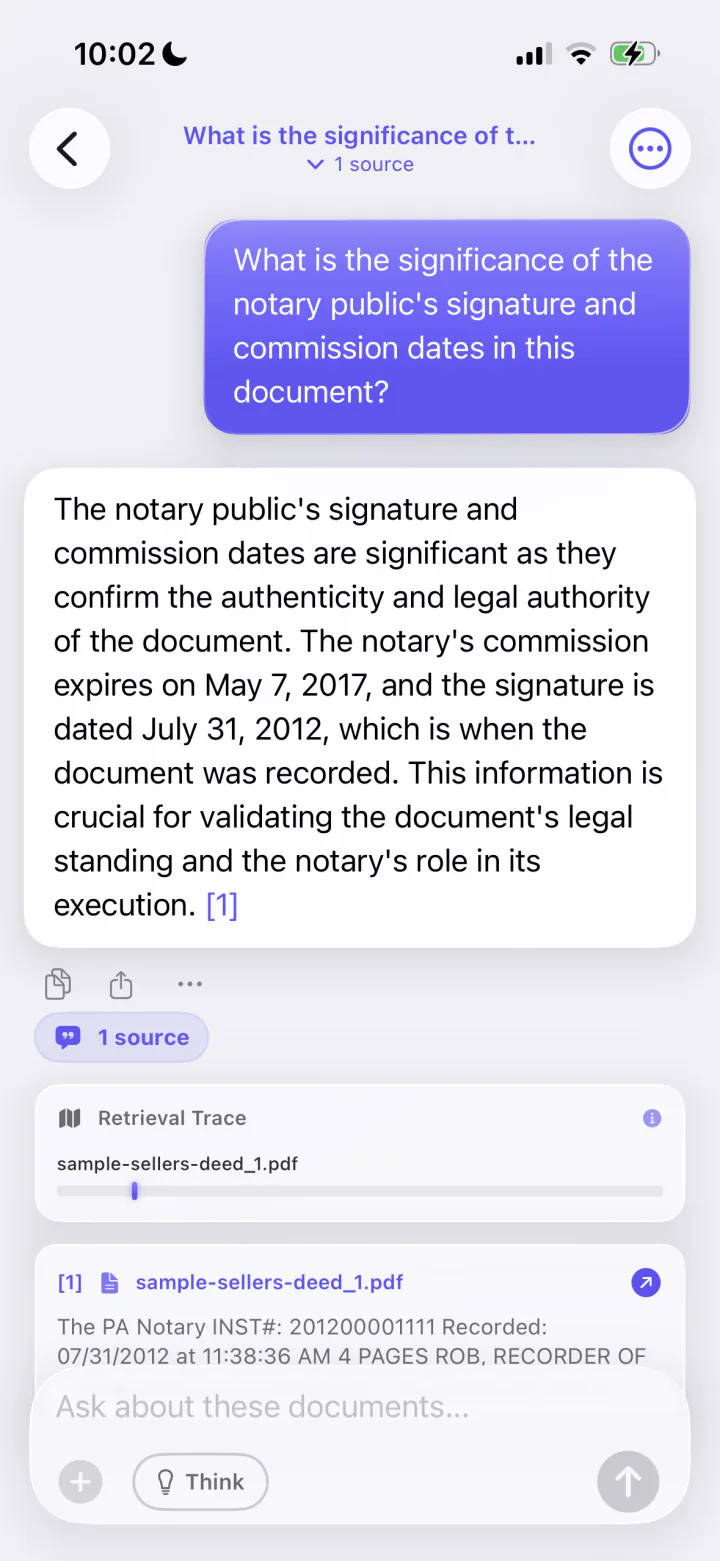
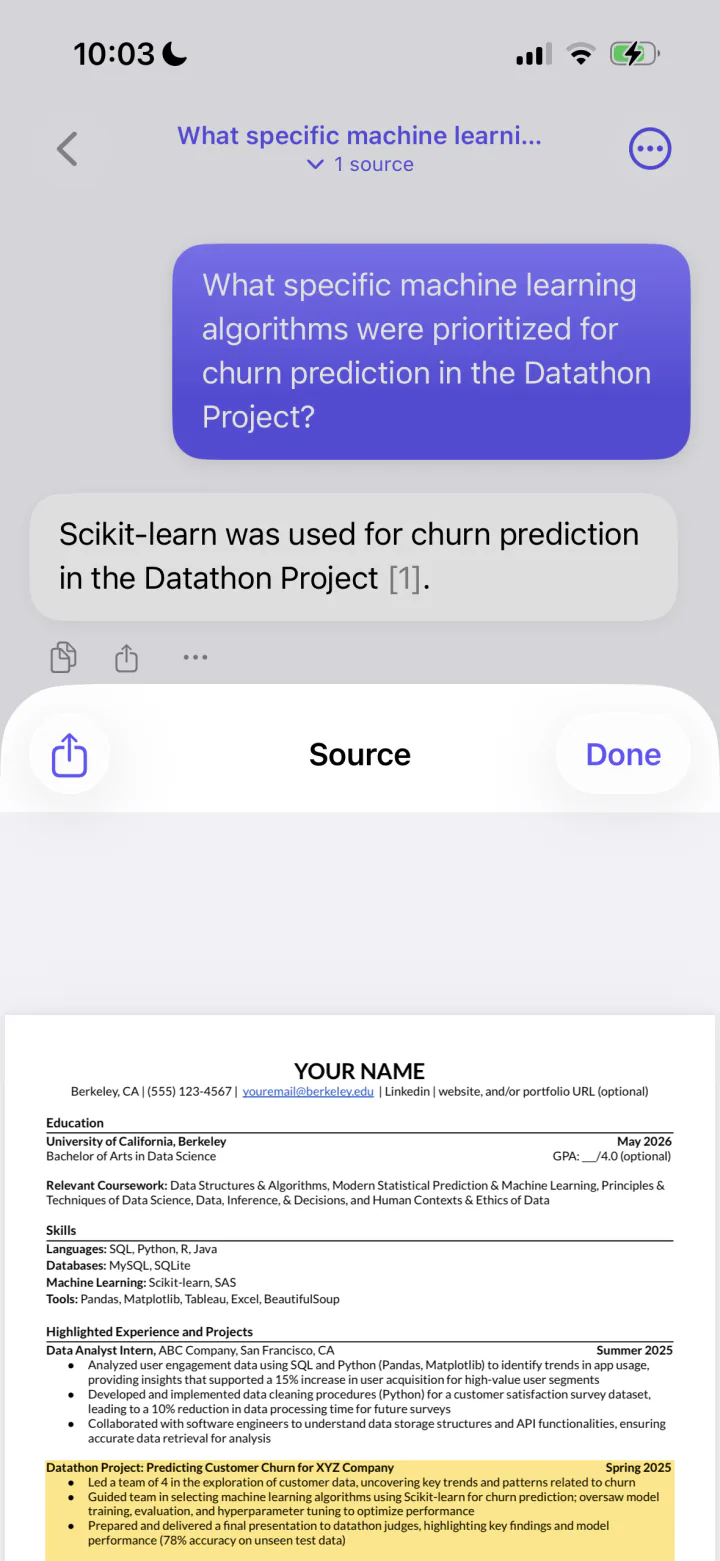
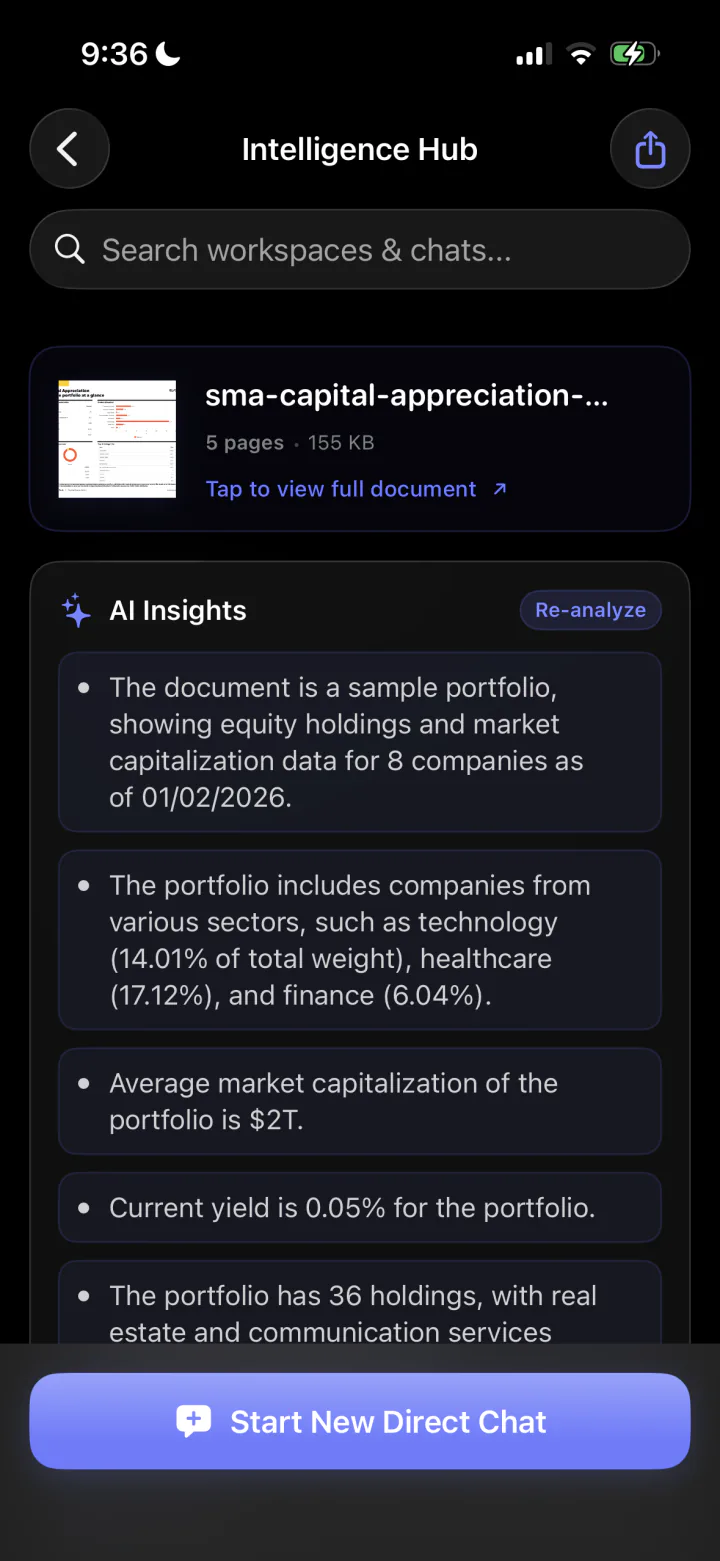
Every answer cites its sources. Tap a citation to open the exact page and paragraph, highlighted in the original document, and a retrieval map shows which parts of which files were used.
Every format, one library
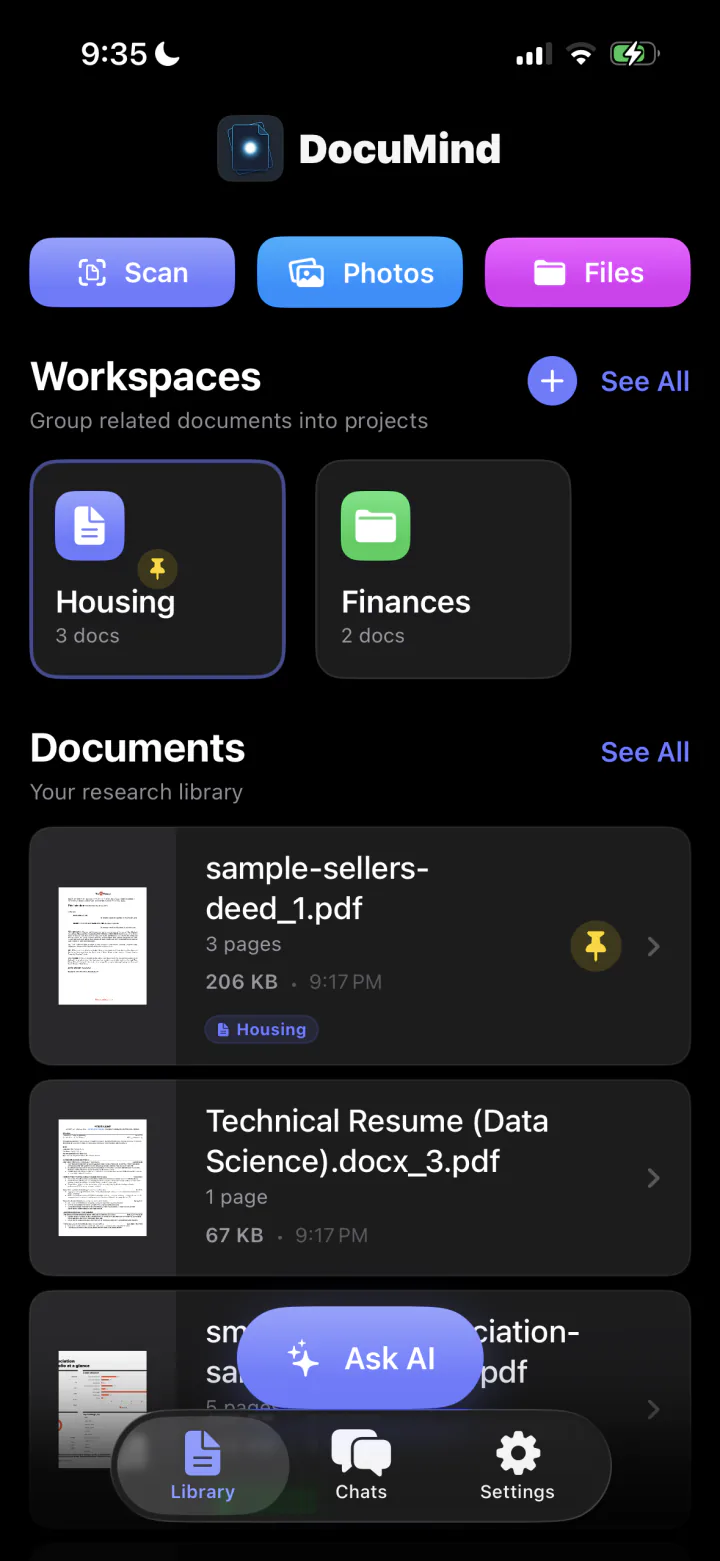
Import PDFs, photos, screenshots, Markdown, plain text, CSV, and JSON. On iPhone and iPad, scan paper documents, receipts, and book pages straight from the camera.
Workspaces for every project
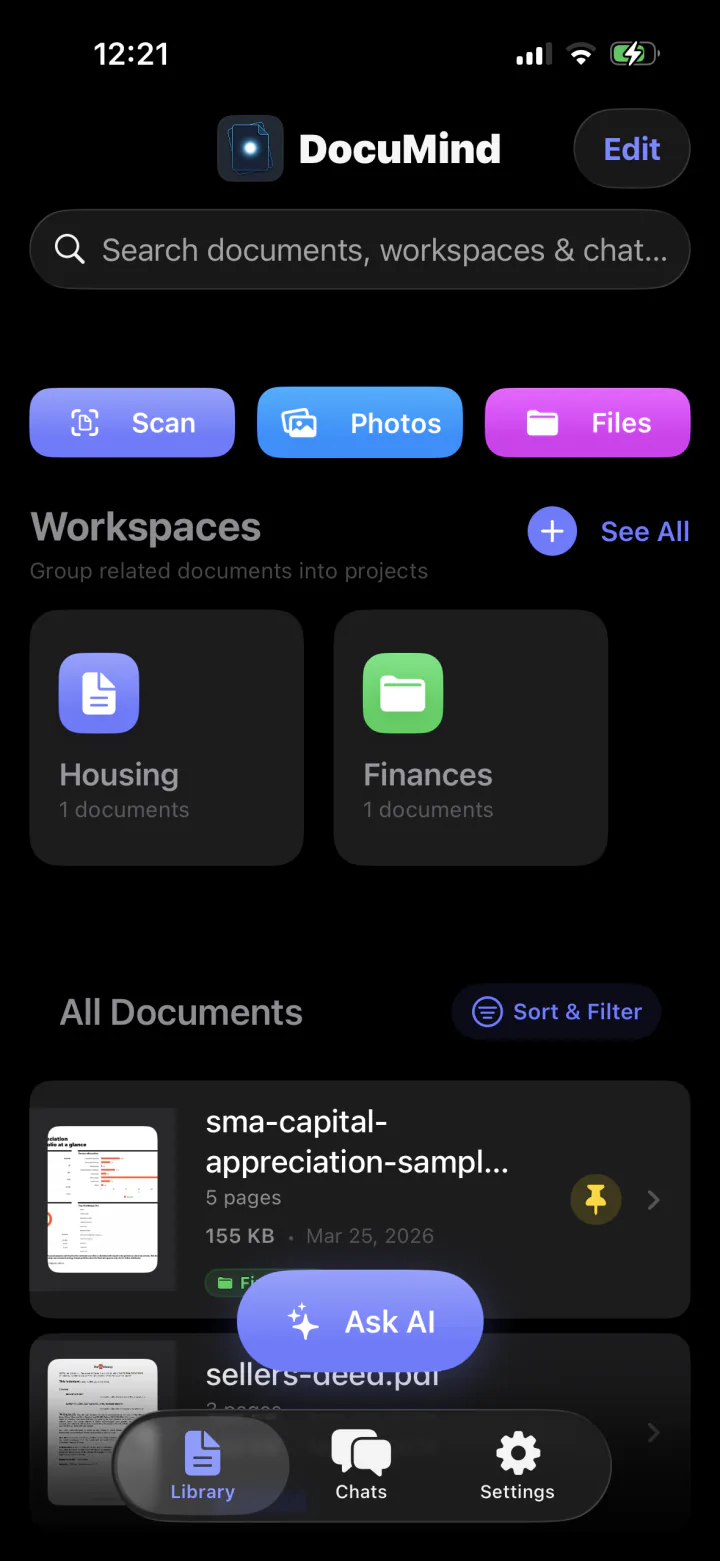
Group related documents into workspaces, pin the files and chats that matter, and keep each research thread organized in its own space.
Branch any conversation
Split a chat at any answer to explore a new question without losing the original thread, then export whole sessions, citations included, when the work is done.
Powered by open models
DocuMind runs the same on-device model families as LocalMind AI: Qwen, Gemma, and Llama. High-memory Macs unlock larger versions that can take on big document sets.
No cloud bill
No per-question API costs and no usage meter. Ask your documents as much as you like; the answers are computed on hardware you already own. DocuMind is free to start, and Pro is a monthly or yearly subscription or a single lifetime purchase.
See it in action.
Import, ask, verify. A full document AI workflow with nothing leaving your device.
Asked, answered.
Everything people want to know before trusting an app with their documents. Something else on your mind? Ask us directly.
Can I chat with my PDFs offline?+
Yes. DocuMind indexes your documents and answers questions entirely on your iPhone, iPad, or Mac using on-device AI models. After a one-time model download it works with no internet connection, including in airplane mode.
Is DocuMind private enough for sensitive documents?+
Yes. Your files, the search index, and all conversations stay on your device. There is no account, no tracking, and no cloud processing, which makes it suitable for medical records, legal documents, and personal finances.
What file types can I import?+
PDFs, photos and screenshots, Markdown, plain text, CSV, and JSON. On iPhone and iPad you can also scan paper documents with the camera. On Mac you can drag in individual files or entire folders.
Does it work with scanned paper documents?+
Yes. DocuMind reads scans and photos, and it remembers where every paragraph sits on the page. Citations still point to the exact spot in the original scan.
Which AI models does DocuMind use?+
The same open-source families as LocalMind AI: Qwen, Gemma, and Llama, downloaded on demand with your approval. Macs with more memory unlock larger versions that can handle more at once.
How is DocuMind different from cloud PDF chat tools?+
Cloud tools upload your files to their servers and usually charge a subscription. DocuMind indexes and answers on your own device, works offline, and cites the exact page for every answer. It is free to start, and Pro is a monthly or yearly subscription or a single lifetime purchase.
Stop searching. Start asking.
Download DocuMind and turn your documents into a private library that answers back. Free to start, with no per-question costs.
Requires iOS 17.0+ or macOS 14.0+ (Apple Silicon)