 Core Arc Studio · LocalMind AI
Your AI.
Nobody’s server.
LocalMind AI is an offline AI assistant for iPhone, iPad, and Mac. Download open-source models like Qwen, Gemma, and Llama, then chat by text or voice with no cloud, no account, and no data ever leaving your device.
Free to download · iOS 18+ · macOS 15+ (Apple Silicon)
Scripted demo, running in this page · the real app runs full models on your device
An offline AI is a private AI.
Cloud chatbots work by reading your messages on someone else’s computer. LocalMind AI takes the opposite approach: the model itself lives on your iPhone, iPad, or Mac, so your conversations, ideas, and documents are processed where they already are, and nowhere else. That is what makes it a place to think out loud.
Private by construction
There is no server to trust, because there is no server. Conversations, documents, and memory live only on your device. No account, no tracking, nothing to leak.
Works entirely offline
Once a model is downloaded, LocalMind AI needs no connection at all. Chat on a plane, in the subway, or completely off the grid.
Fast on Apple silicon
Tuned for Apple silicon, so responses start instantly. There is no network round-trip, no queue, and no waiting on someone else’s servers.
The best open models, one tap away.
Browse a curated catalogue of AI models and download them directly inside the app. Every model runs locally on Apple silicon, and every model is free.
Check which models your device can run →Light models for everyday speed
Compact versions of Qwen, Gemma, and Llama answer quickly and sip battery. They are ideal for drafting messages, quick questions, and brainstorming on the go.
Reasoning models for hard problems
“Thinking” models work through coding, analysis, and logic step by step before answering, useful when the question deserves more than a fast reply.
Large models on capable hardware
On higher-memory iPhones, iPads, and Macs, the catalogue unlocks larger versions of the same model families. The app only shows models your device can actually run well.
Much more than a chatbot.
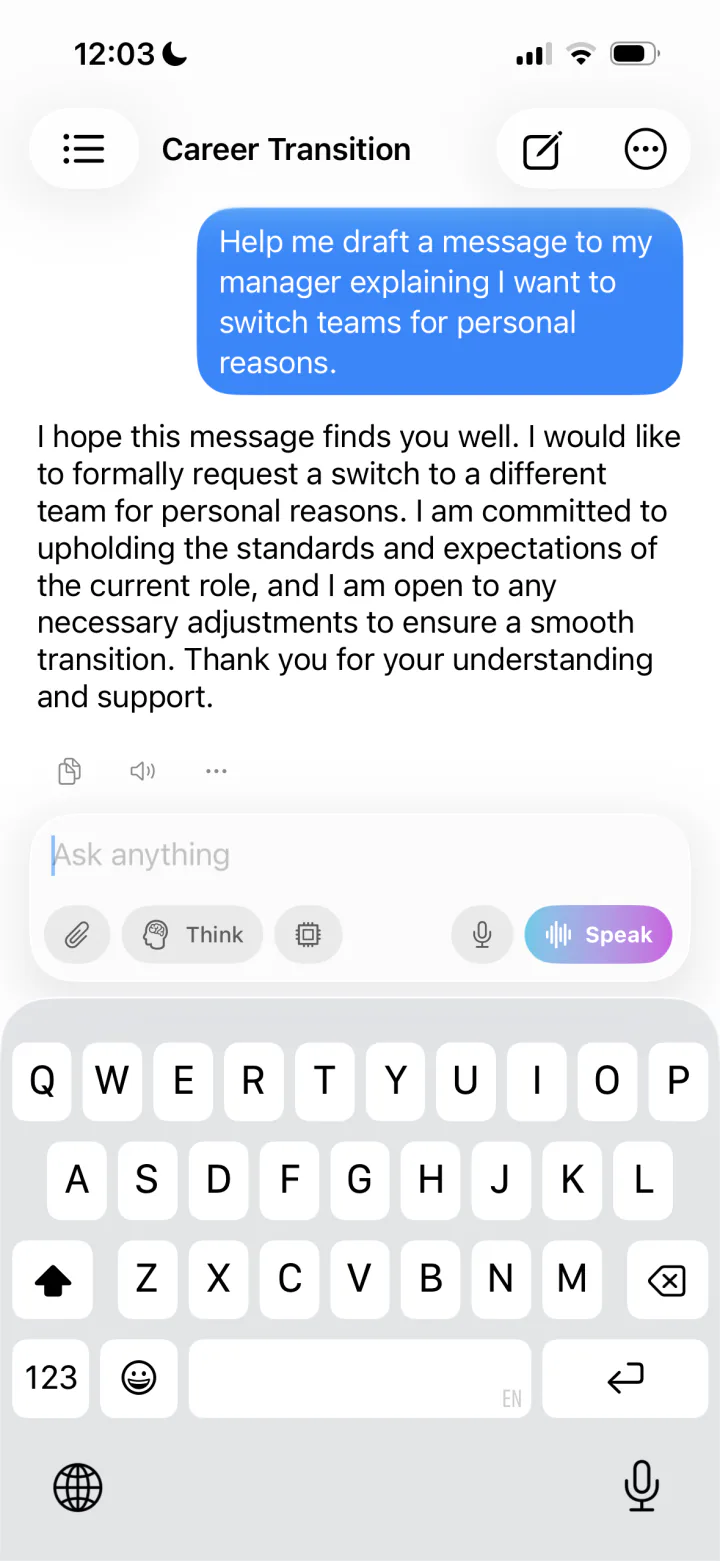
Voice, vision, documents, and a personal memory: the full toolkit of a modern AI assistant, rebuilt to run without the cloud.
Voice conversations
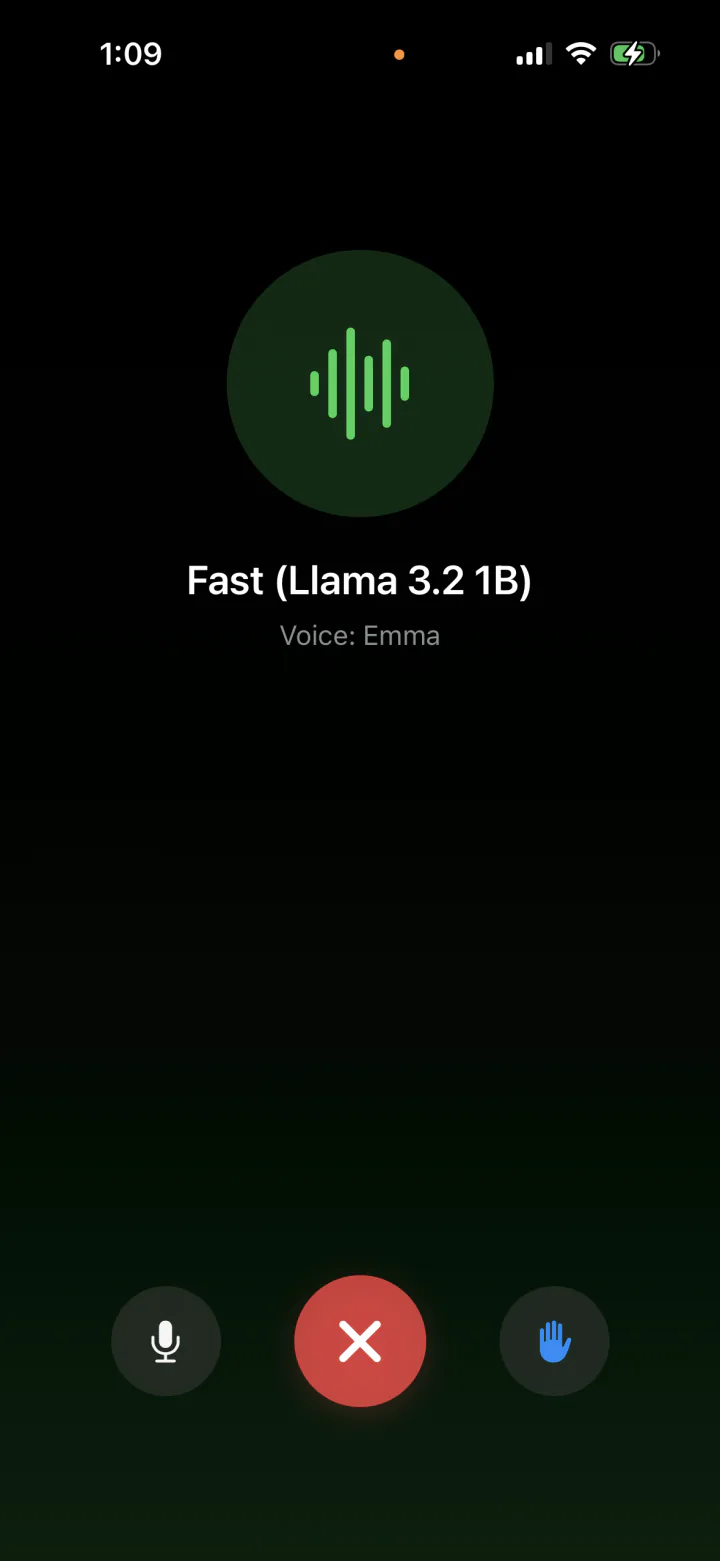
Talk to your AI hands-free with Call Mode on iPhone and iPad. Speech recognition and natural voices run on-device, with smart silence detection. You can even interrupt it mid-sentence, just like a real call.
Understands images
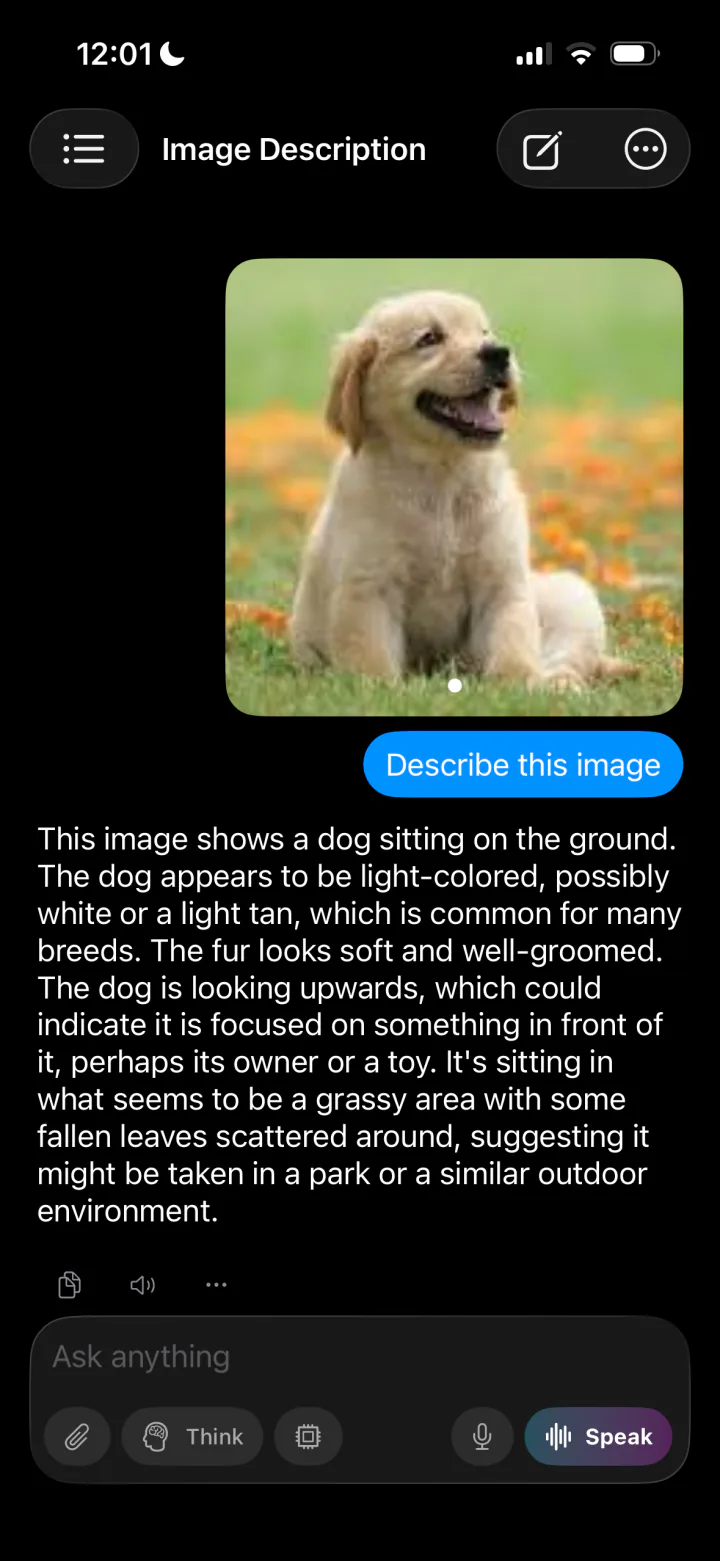
Attach photos and let on-device vision models describe scenes, read text and signs, or answer questions about what they see. Your camera roll never leaves your phone.
Chat with your documents
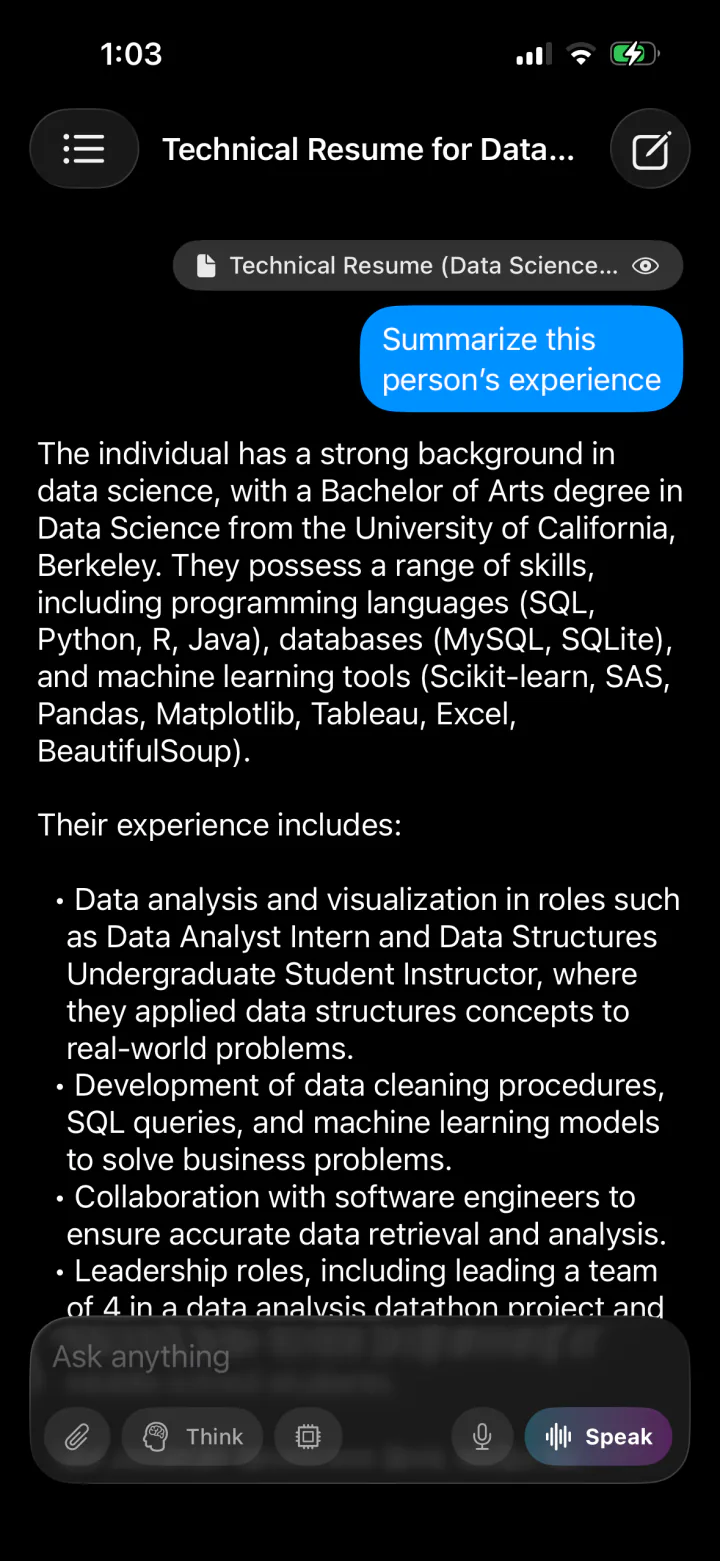
Drop in a PDF, TXT, CSV, or JSON file and ask questions about it. Documents are parsed and indexed locally, so private files stay private.
A memory that’s truly yours
LocalMind AI remembers your preferences, goals, and context across conversations, and stores that memory encrypted on your device. It gets more personal over time without a profile ever being uploaded.
Assistants for every job
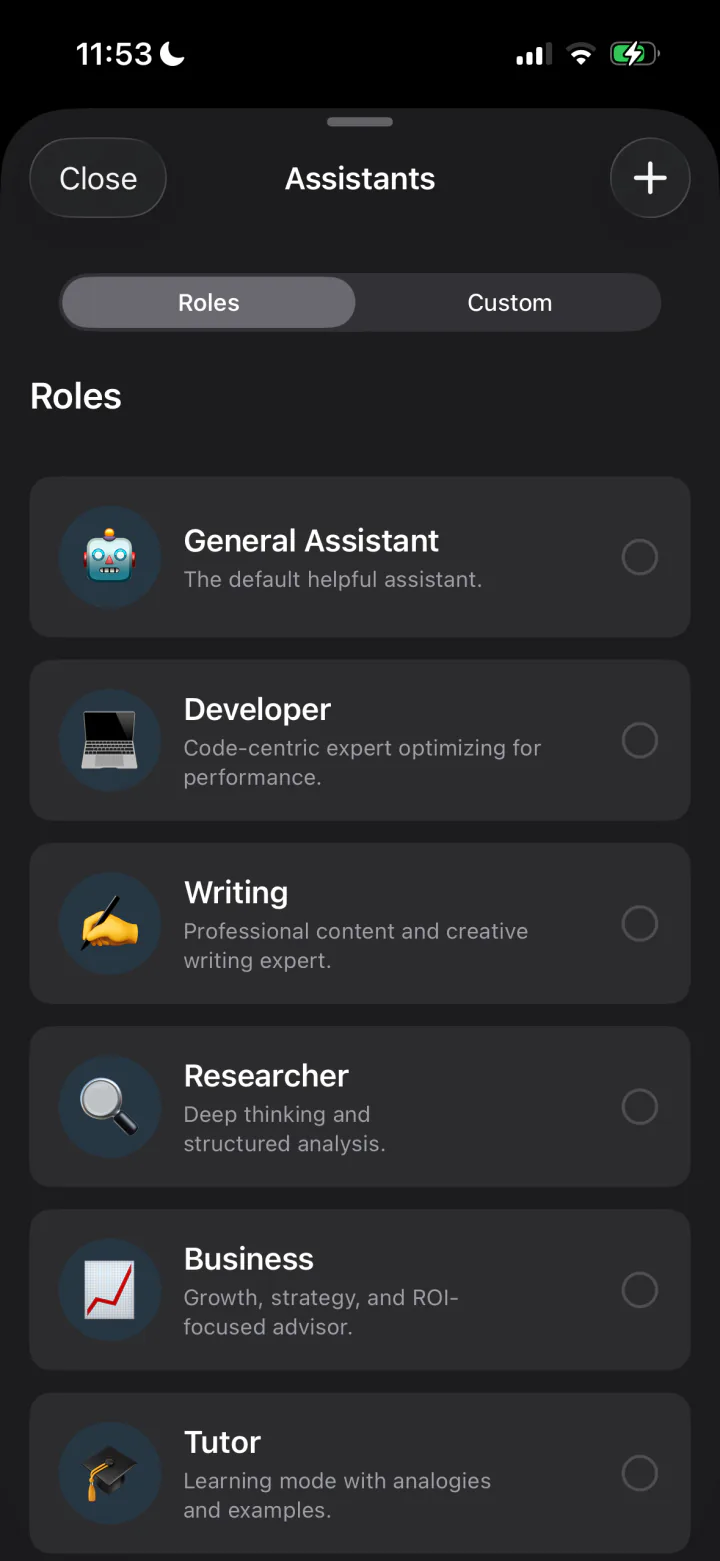
Switch between built-in experts like Developer, Writing, Researcher, Business, Tutor, and Data Analyst, or create your own custom assistants with their own instructions and personality.
Power-user tools
Fork a conversation to explore a different direction, rewrite responses, search your full chat history, pin favorites, and export conversations to PDF. Markdown and syntax-highlighted code included.
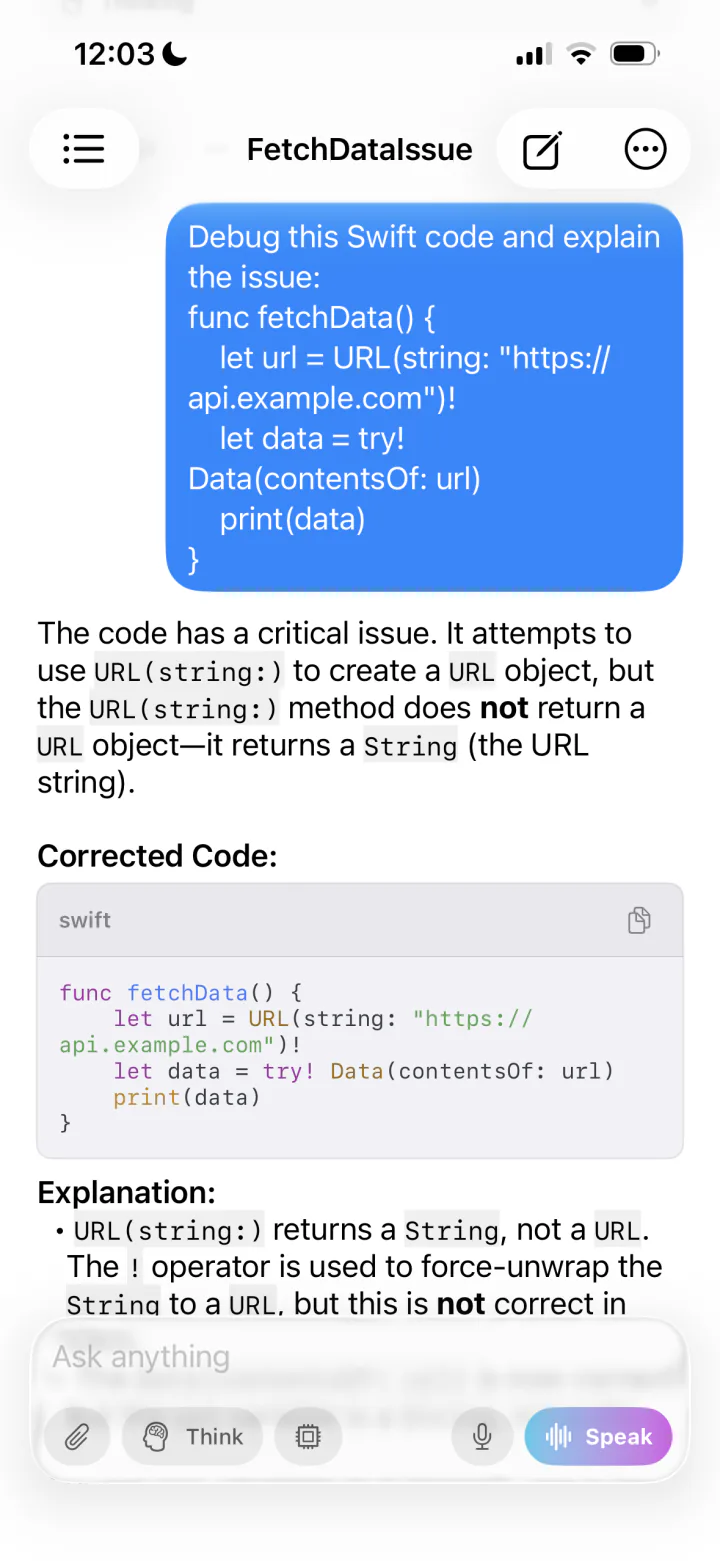
See it in action.
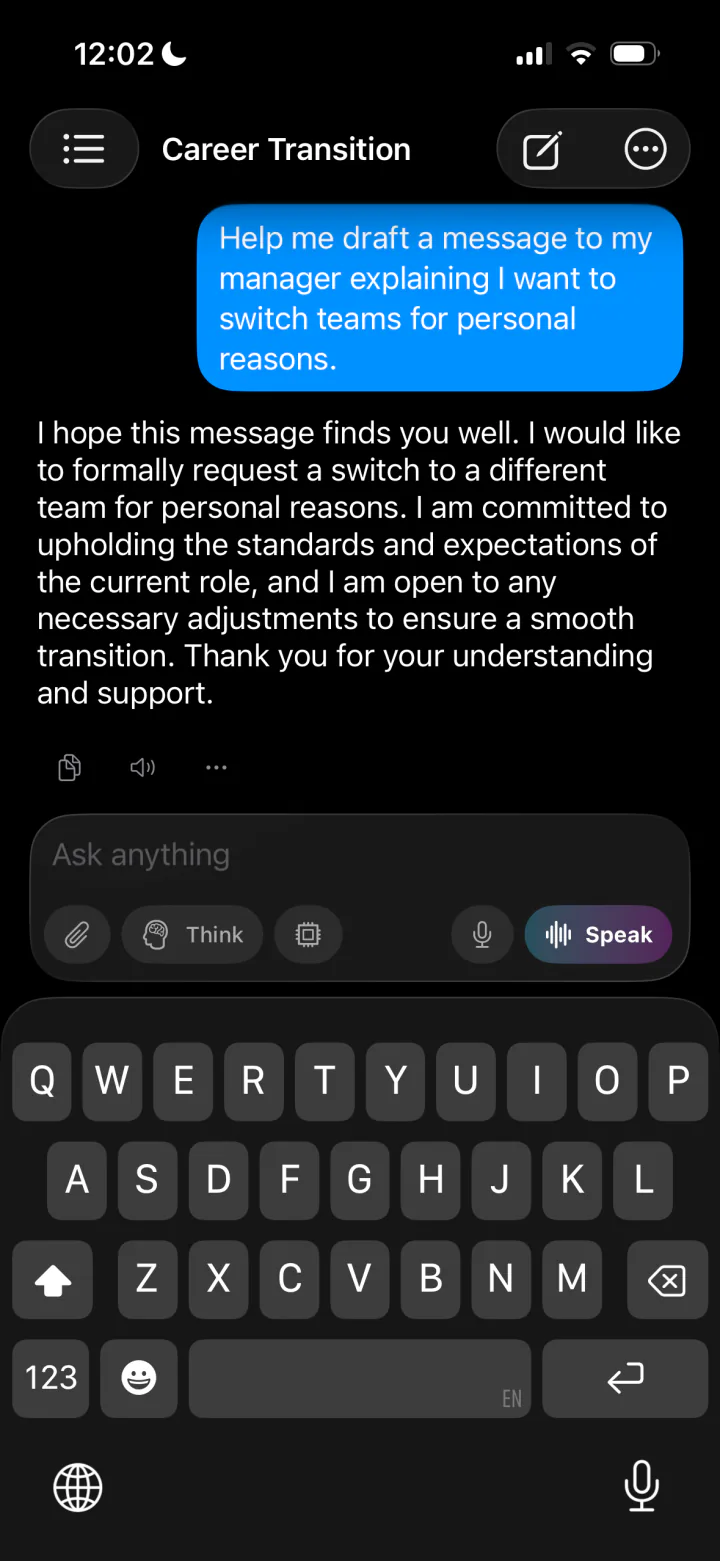
Private AI chat, voice conversations, vision, and document analysis, all running locally.
Asked, answered.
Everything people want to know before running an AI on their own device. Something else on your mind? Ask us directly.
Can I run an AI chatbot offline on my iPhone?+
Yes. LocalMind AI runs AI models directly on your iPhone, iPad, or Mac. After a one-time model download, everything works with no internet connection, including in airplane mode.
Is LocalMind AI really private?+
All AI processing happens on your device. There is no account to create, and conversations are stored locally. The app’s long-term memory files are encrypted at rest on your device. The only network use is downloading models you choose.
Which AI models can I run?+
The built-in catalogue focuses on the leading open-source model families: Qwen, Gemma, and Llama, including reasoning ("thinking") variants. Larger versions appear on devices with enough memory to run them well.
Is LocalMind AI free?+
LocalMind AI is free to download, and every model in the catalogue is free to use with unlimited chat. An optional Pro upgrade unlocks unlimited voice mode, unlimited document uploads, and unlimited custom assistants.
What devices does LocalMind AI support?+
LocalMind AI requires iOS 18.0+ on iPhone and iPad, or macOS 15.0+ on Apple Silicon Macs. Voice conversations are currently available on iPhone and iPad.
How is LocalMind AI different from ChatGPT?+
ChatGPT sends every message to cloud servers. LocalMind AI runs open-source models on your own hardware, so it works offline, keeps your data on-device, and doesn’t require an account or subscription to chat.
Your AI. Your device.
Download LocalMind AI and put a private, offline AI assistant in your pocket. It is free, with every model included.
Requires iOS 18.0+ or macOS 15.0+ (Apple Silicon)