
Remove backgrounds instantly.
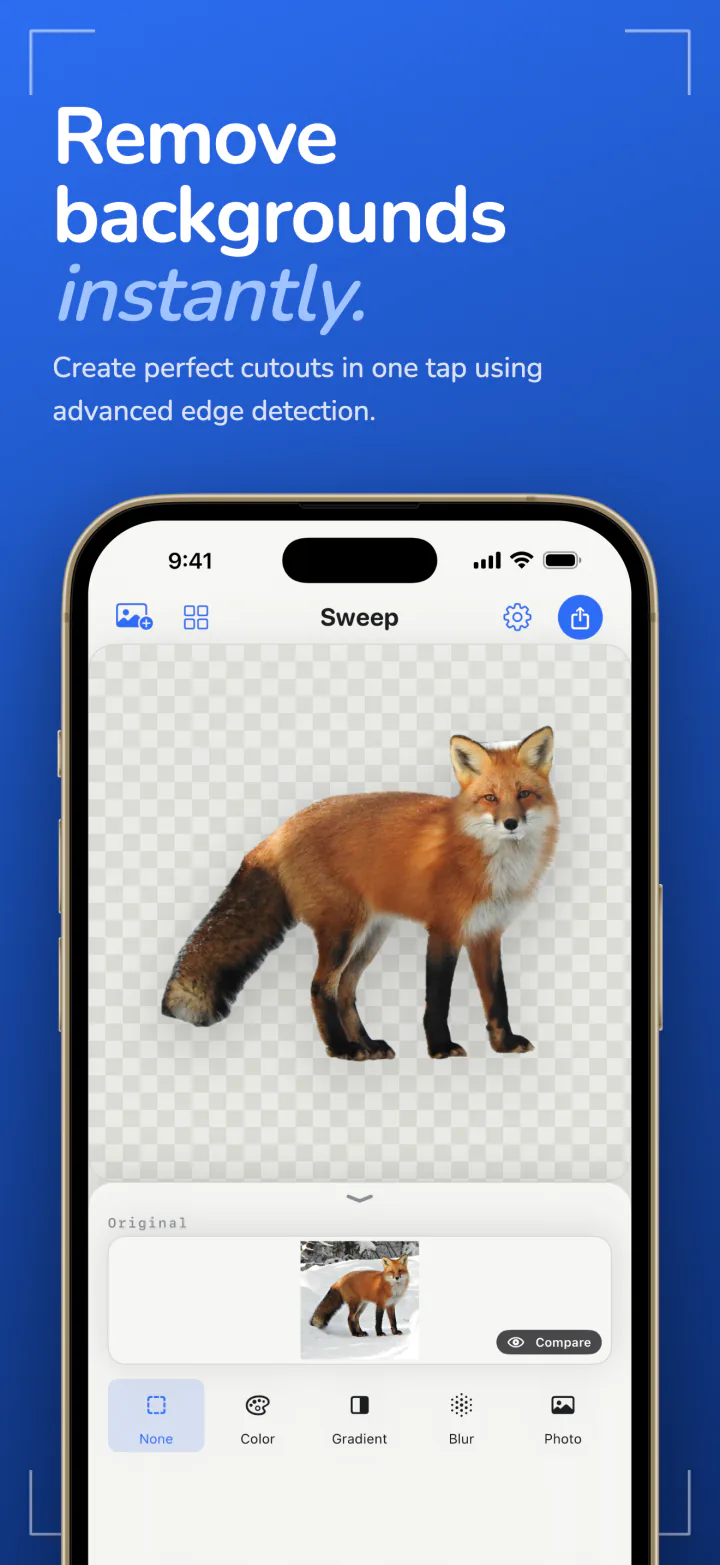
Open a photo and Sweep lifts the subject out in a tap. Save a transparent PNG or drop in a new background, without the photo ever leaving your device.
Free to start · iOS 17+ · macOS 14+
- TransparentPNG with no backgroundFree
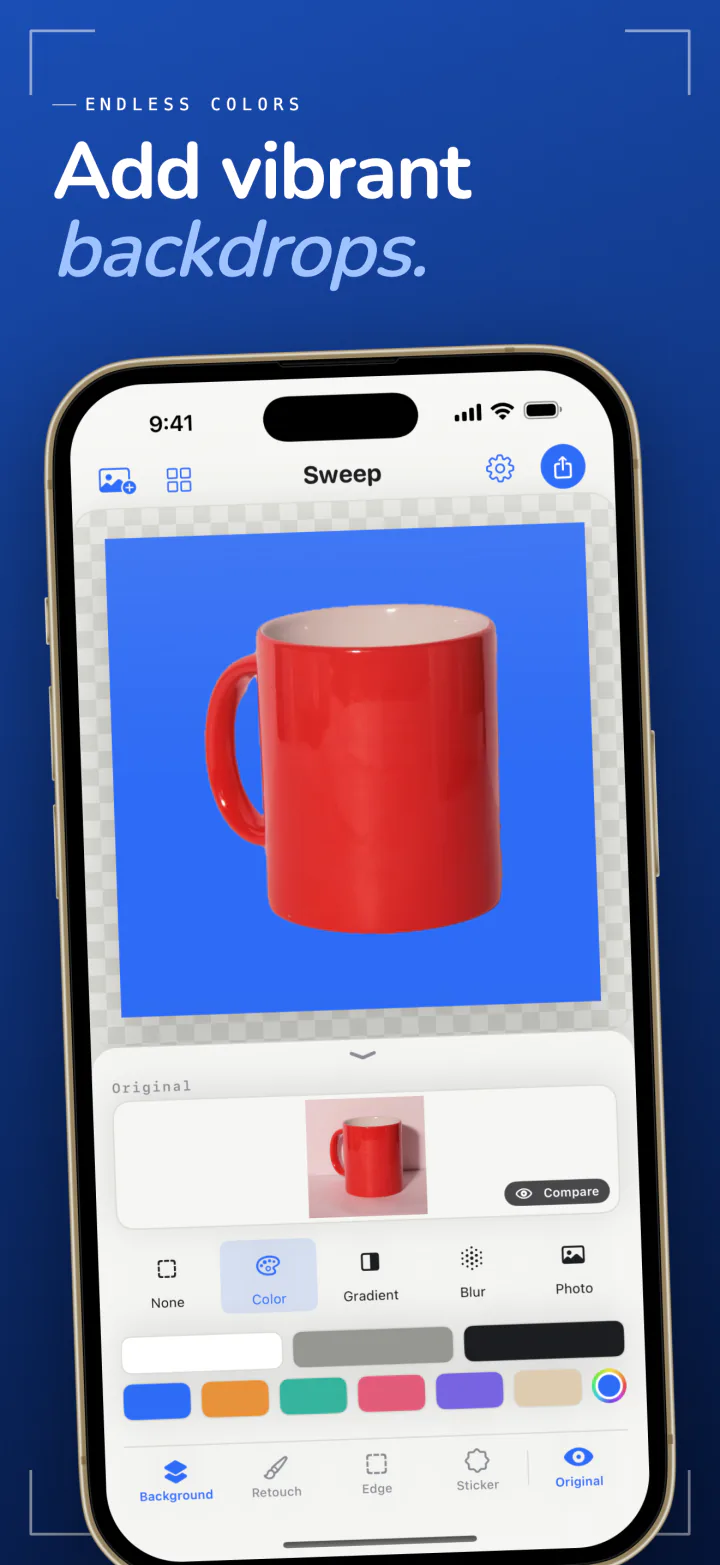
- ColorA plain white for a shop listingFree
- GradientA soft studio sweepPro
- BlurThe original, out of focusPro
- PhotoAny picture you choosePro
Scripted demo · the real thing runs on your device
Fast, and yours alone.
One tap, clean cutout
Open a photo and Sweep finds the subject and lifts it out. People, pets, and objects all work, with edges that hold up around fine detail like hair.
On your device, nothing uploaded
The whole job happens on your iPhone, iPad, or Mac. Photos are never sent anywhere, there is no account, and Sweep works with no connection at all.
One app, every screen
The same Sweep runs on iPhone, iPad, and Mac. Buy Pro once and it is unlocked on all of them.
One cutout, many uses.
A subject with no background goes almost anywhere. These are the jobs people open Sweep to do.
Product photos for an online shop
Cut an item out of a cluttered table and set it on plain white, ready for a marketplace listing. White is one of the free colors.
Headshots and profile pictures
Swap a busy room for a plain color behind a portrait, for a profile picture, a team page, or a resume.
Stickers
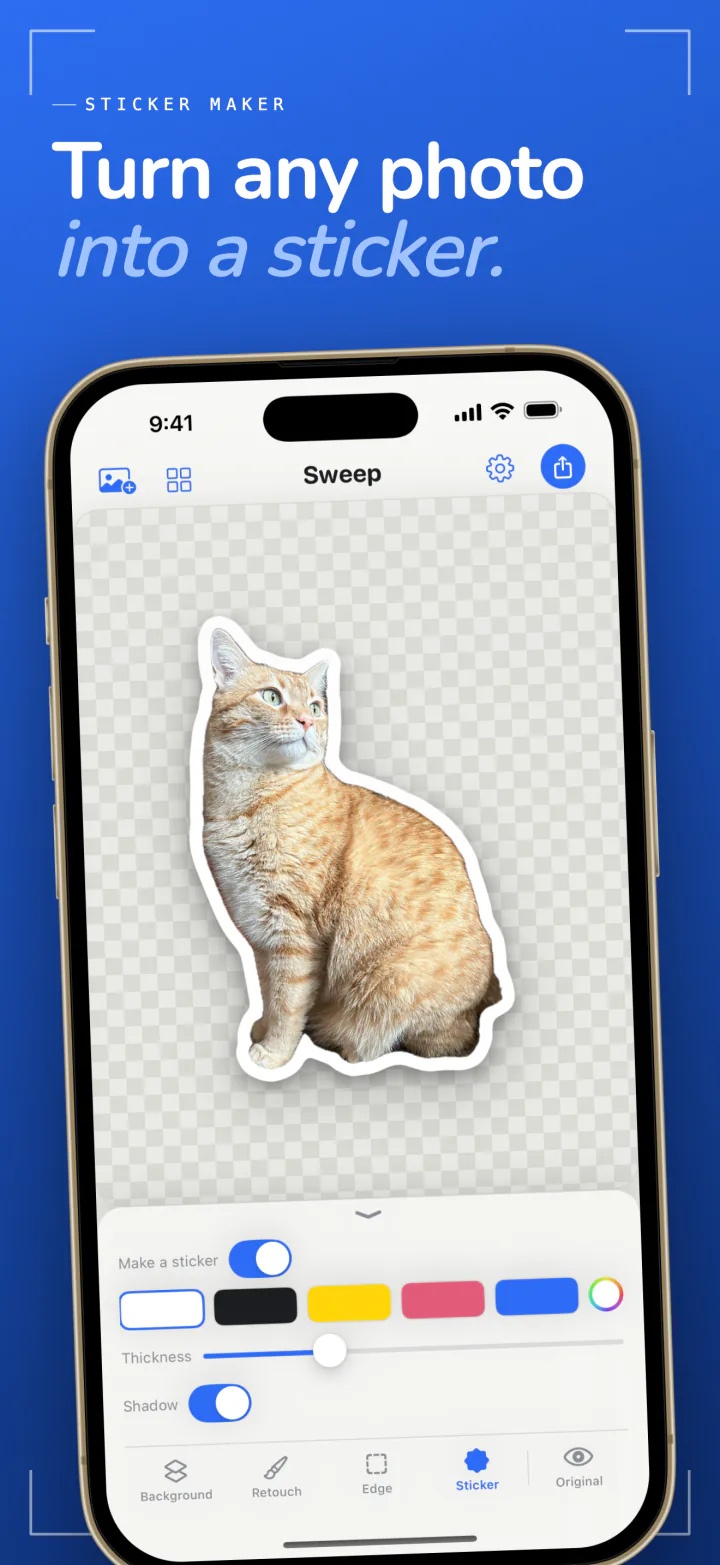
With Pro, turn a cutout of a pet or a friend into a sticker with an outline and a soft shadow.
Slides and design work
Export a transparent PNG and drop it into a presentation, a poster, or a layout without a white box around it.
A whole shoot at once
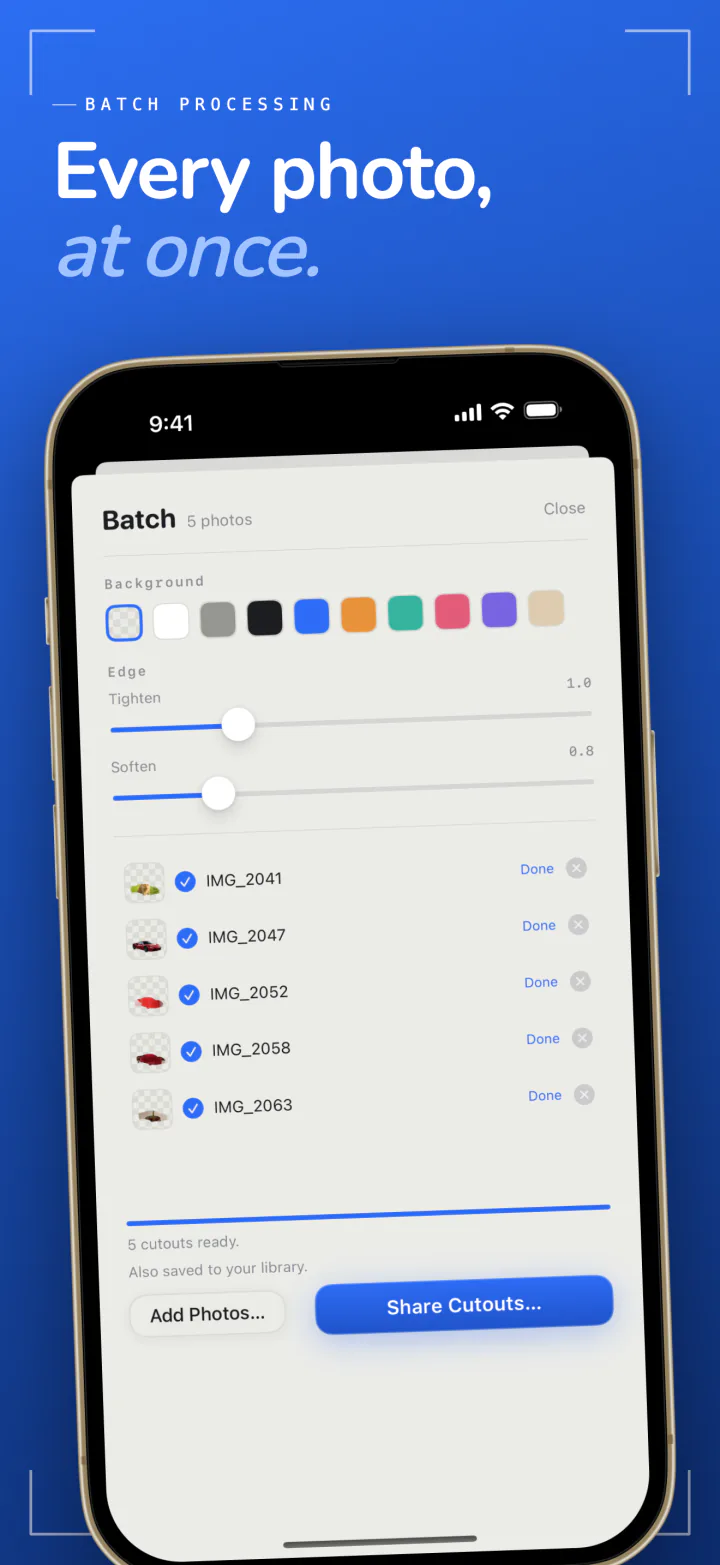
With Pro, cut out up to 50 photos in a single run, all with the same background and edge settings.
A new scene behind the subject
With Pro, place the cutout on a gradient, on a blurred copy of the original, or on any other photo.
Get the edge exactly right.
More than one subject
When a photo holds several subjects, Sweep finds each one and you choose which to keep.
A brush for the last details
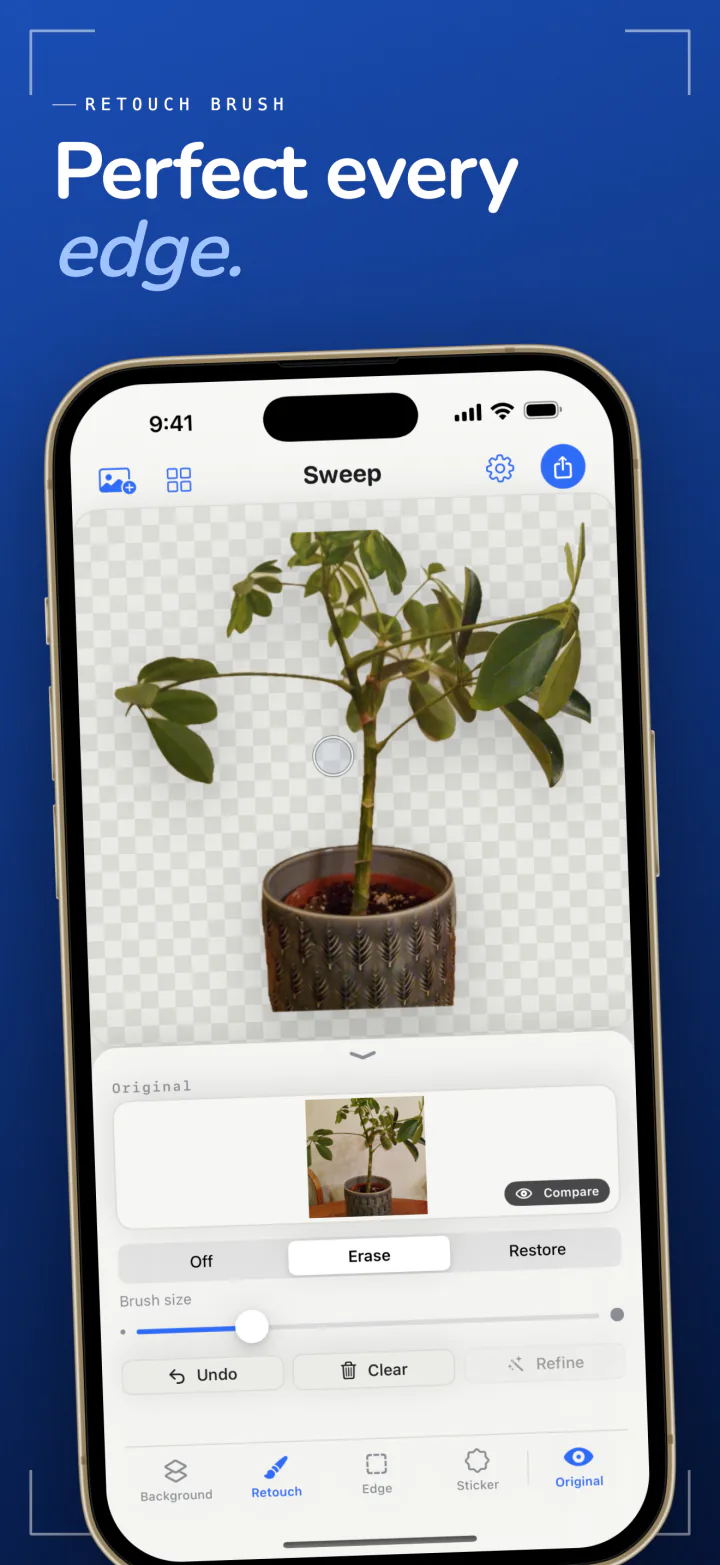
Erase a stray edge or paint back something the cutout dropped. The brush is free.
Refine a tricky area
Paint a missing part back with the brush and Sweep cuts out just that area again, with a closer look.
Compare with the original
Press and hold the picture to see the photo as it was, then let go to see the cutout.
Edge controls
With Pro, tighten the edge to trim a halo or soften it so the cutout sits naturally on a new background.
A library of your work
The photos you bring in and the cutouts you finish are kept in a library on your device, so you can reopen one later.
Free to cut out. Pro to finish.
Removing a background is free. Sweep Pro adds full resolution, more backgrounds, and the tools for doing many photos, as a monthly or yearly subscription or a single lifetime purchase.
- Remove backgrounds from any photo Free
- Transparent PNG, plus white, gray, and black backgrounds Free
- Retouch brush, multiple subjects, and compare Free
- Exports up to 1080 pixels, with a watermark Free
- Full resolution exports with no watermark Pro
- Unlimited exports on iPhone and iPad Pro
- Every color, gradients, blur, and photo backgrounds Pro
- Edge controls Pro
- Sticker maker Pro
- Batch runs of up to 50 photos Pro
See it in action.
One photo, one tap, and a cutout ready to use.
Frequently Asked Questions
What does Sweep do?
Sweep removes the background from a photo. It lifts the subject out and gives you a transparent PNG, or places the subject on a color, a gradient, a blurred copy of the original, or another photo.
Does Sweep upload my photos?
No. Sweep has no server. The background is removed on your iPhone, iPad, or Mac, your photos never leave the device, and there is no account to create.
Does Sweep work without an internet connection?
Yes. Removing a background, editing, and exporting need no connection, so Sweep works in airplane mode and anywhere else you are offline.
Is Sweep free?
Removing backgrounds, retouching by hand, and exporting are free. Free exports are up to 1080 pixels on the long side and carry a watermark, and on iPhone and iPad there are three free exports a day. Sweep Pro removes those limits and adds more backgrounds, edge controls, stickers, and batch runs. Pro is a monthly or yearly subscription or a single lifetime purchase.
How do I make a transparent PNG?
Open a photo, leave the background set to None, and export. Sweep saves a PNG with a transparent background that you can drop into a slide, a design, or a shop listing.
Can I use Sweep for product photos?
Yes. Cut the product out and place it on plain white, which is a free background. With Pro you can run up to 50 photos at once with the same settings and export them at full resolution.
What if the cutout misses something?
No automatic cutout is right every time. Use the brush to erase a leftover piece or restore a part that was dropped, then let Sweep cut out the restored area again.
Which devices does Sweep run on?
iPhone and iPad with iOS 17 or later, and Mac with macOS 14 or later. One purchase of Sweep Pro covers all of them.
Cut it out. Keep it private.
Backgrounds removed on your own device, free to start, on iPhone, iPad, and Mac.
Requires iOS 17.0+ or macOS 14.0+