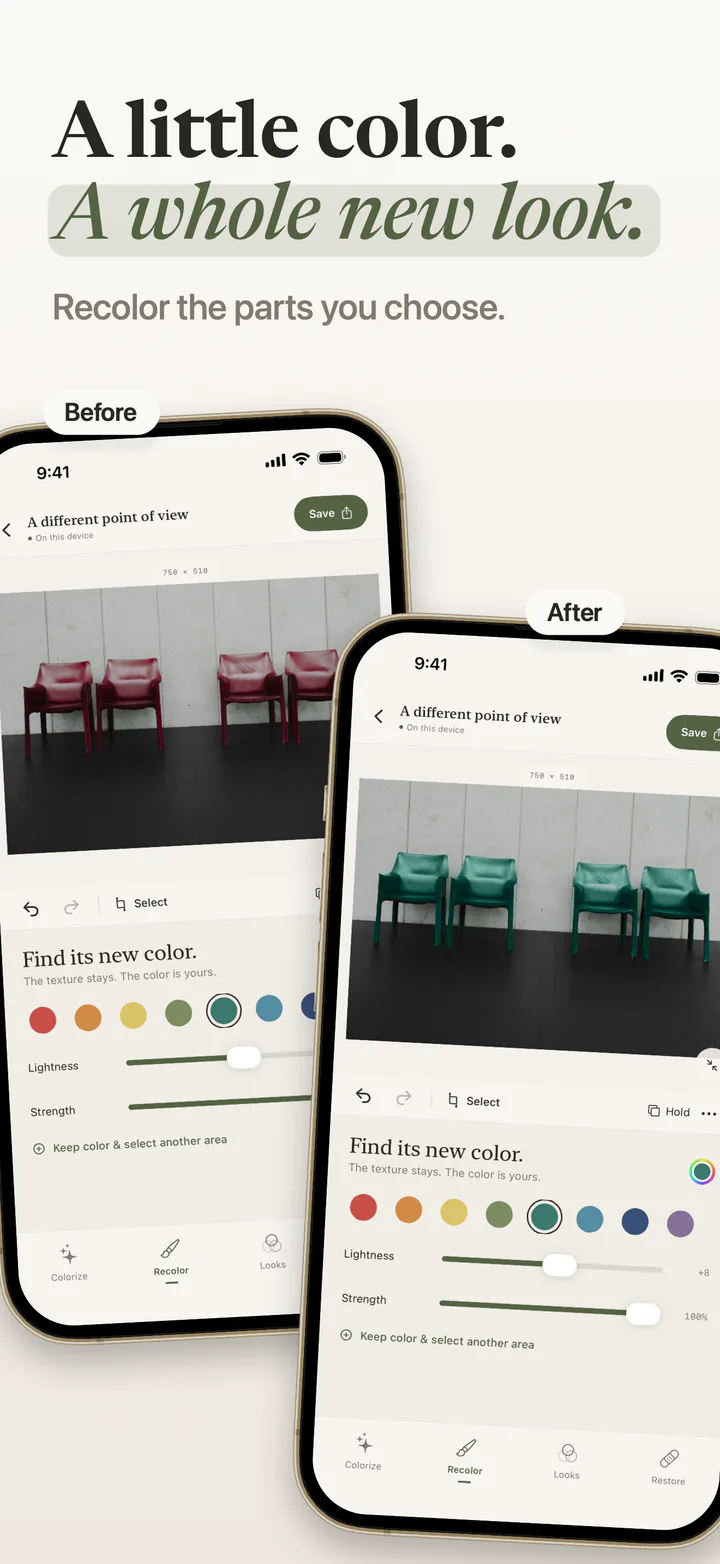
Recolor the details.
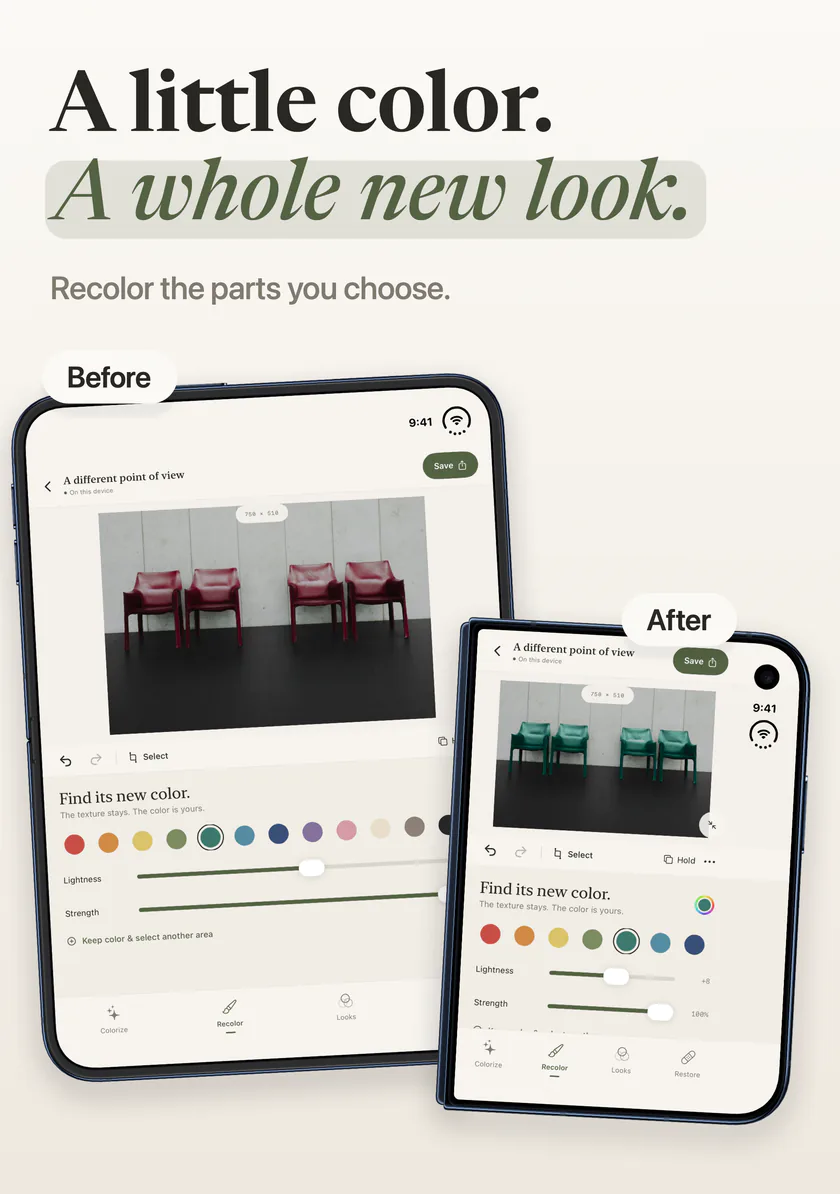
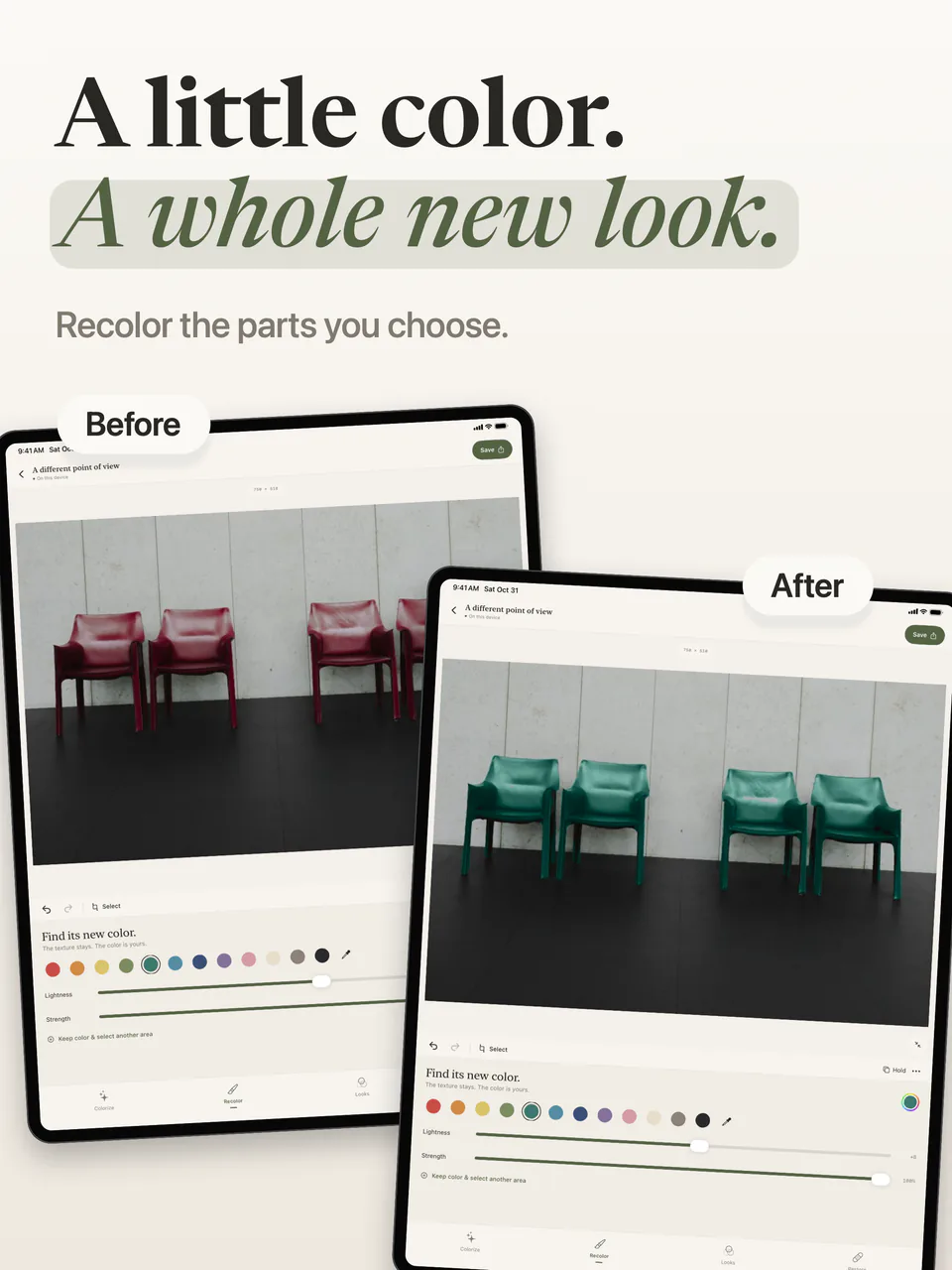
Brush over an area and try a different color while keeping its texture. Refine the selection, adjust lightness and strength, and keep separate color areas.

Tintelier · Coming soon · iPhone & iPad
Recolor the parts you choose, bring color to old memories, repair damaged prints and find a look that feels right. Your photographs stay on your device.
First App Store release in preparation · iOS 17+
One photograph, with the chairs recolored in Tintelier. The comparison is an example made with the current app.
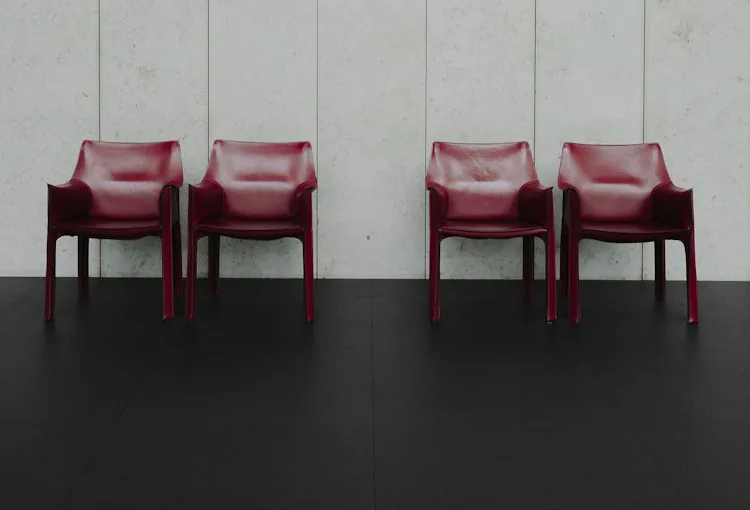
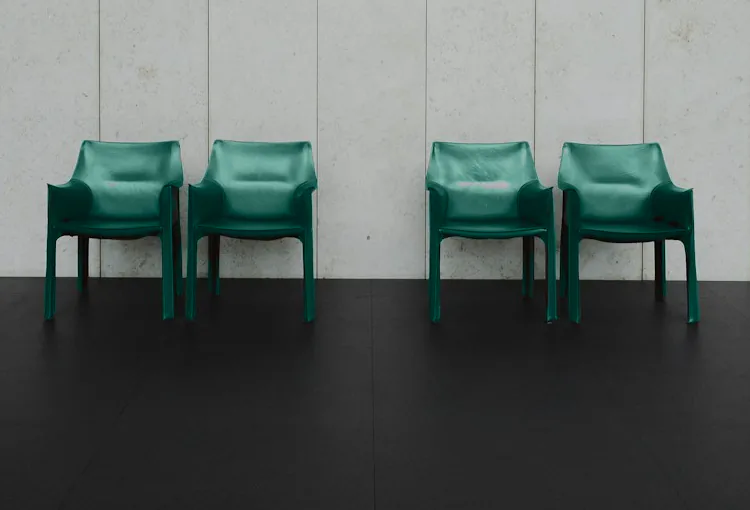
Brush over an area and try a different color while keeping its texture. Refine the selection, adjust lightness and strength, and keep separate color areas.
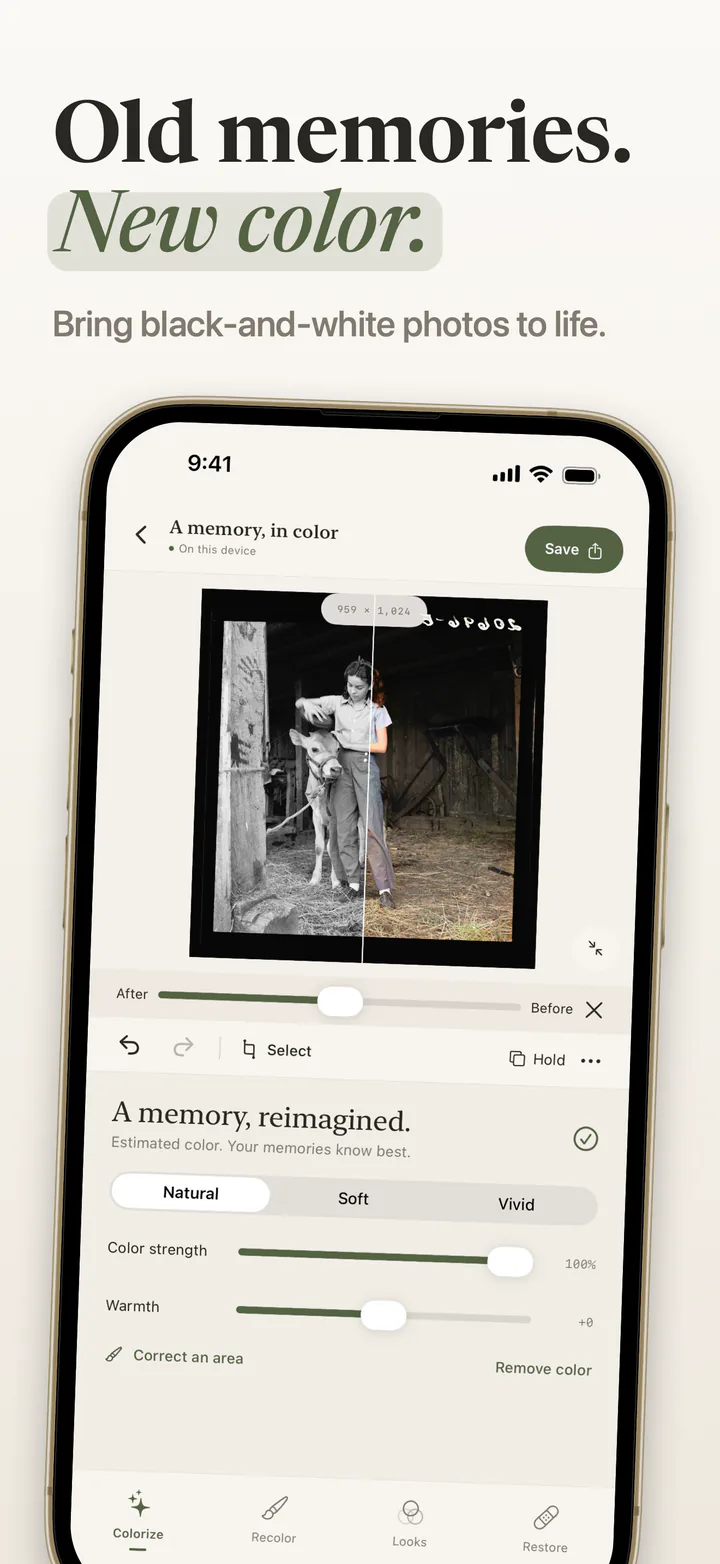
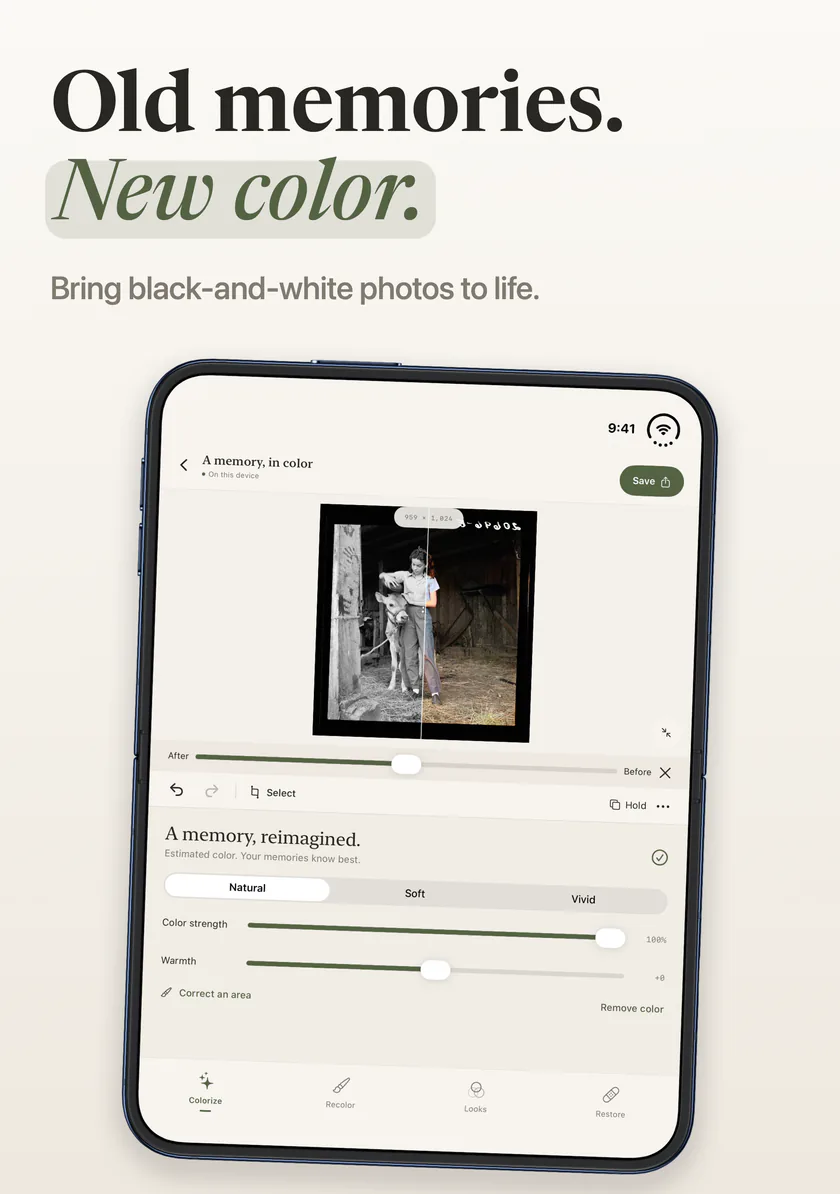
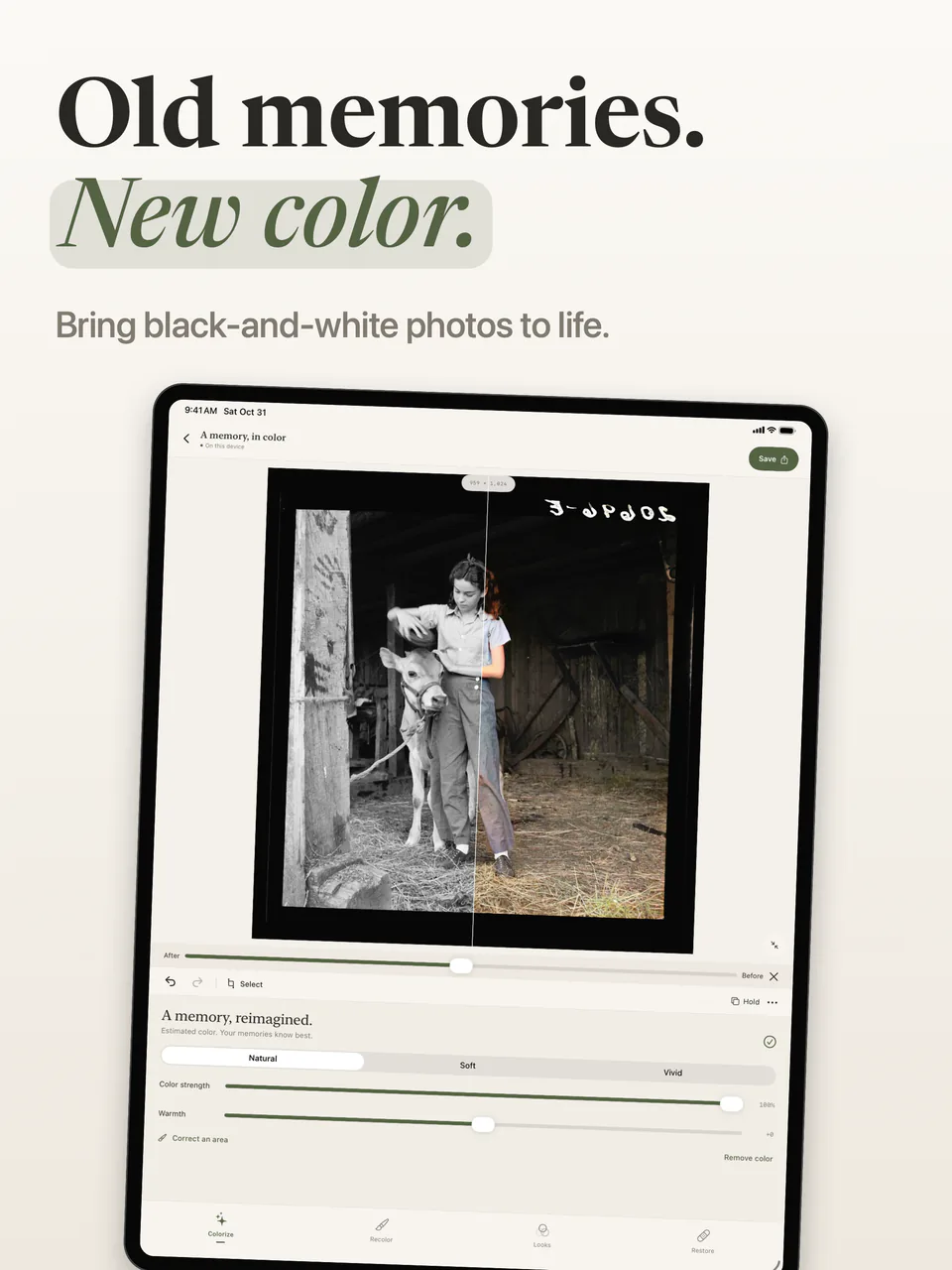
Bring color to a black-and-white photograph, choose a natural, soft or vivid treatment, and adjust warmth. Colors are estimated; your memories know best.
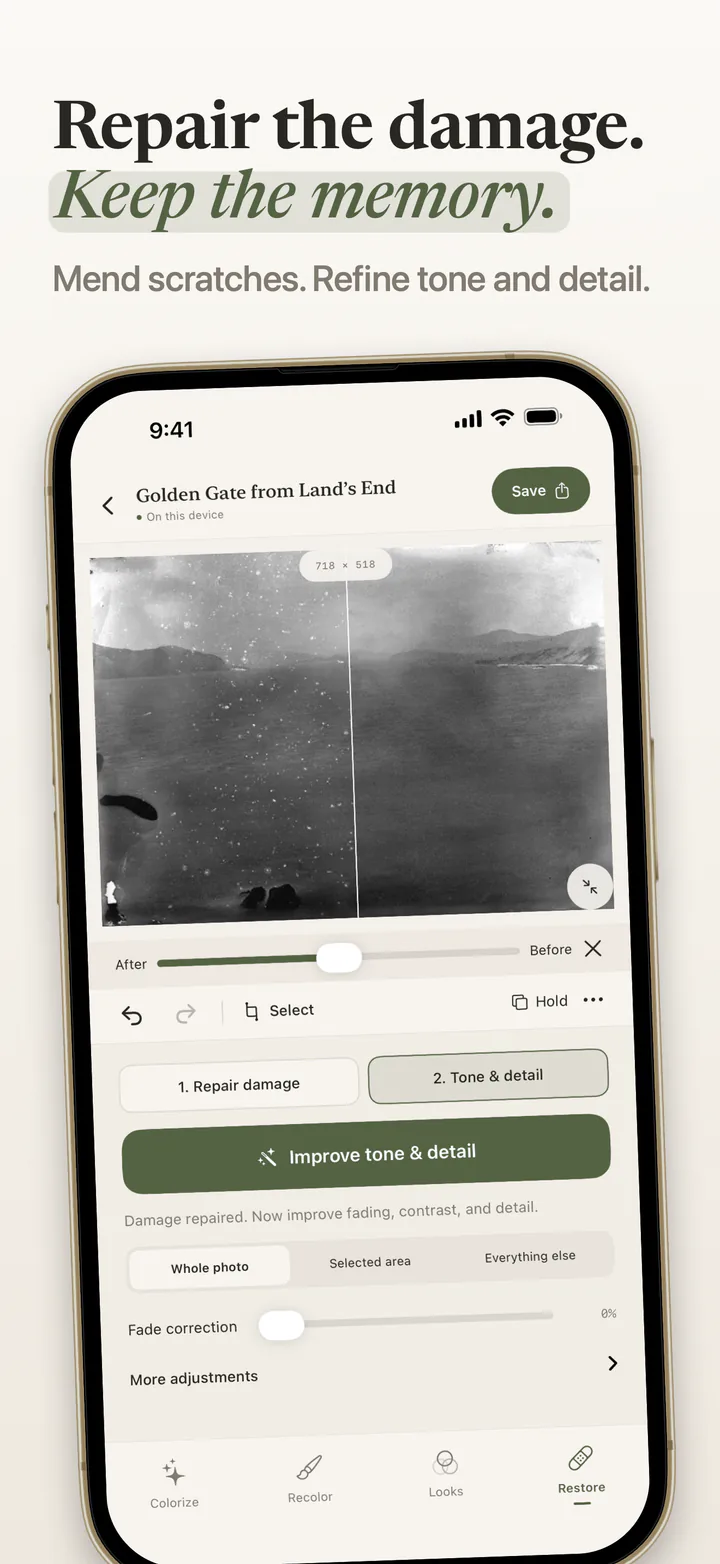
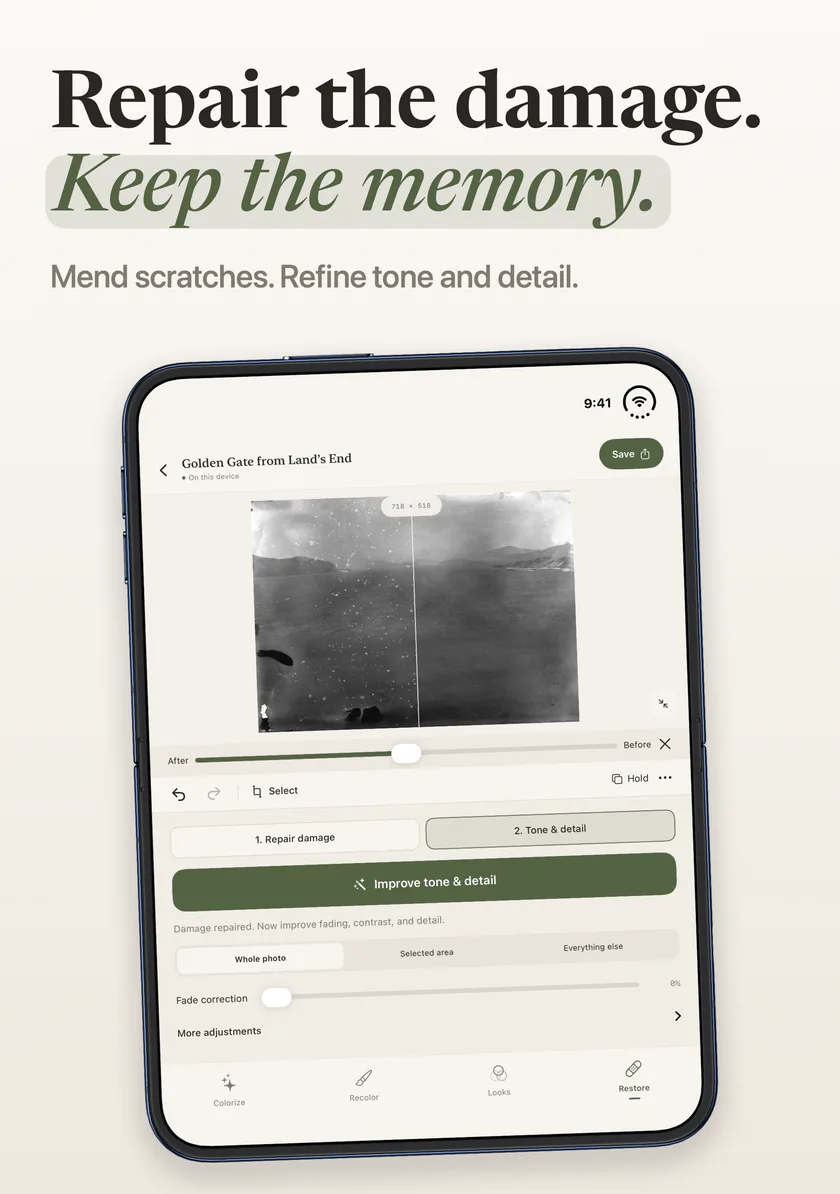
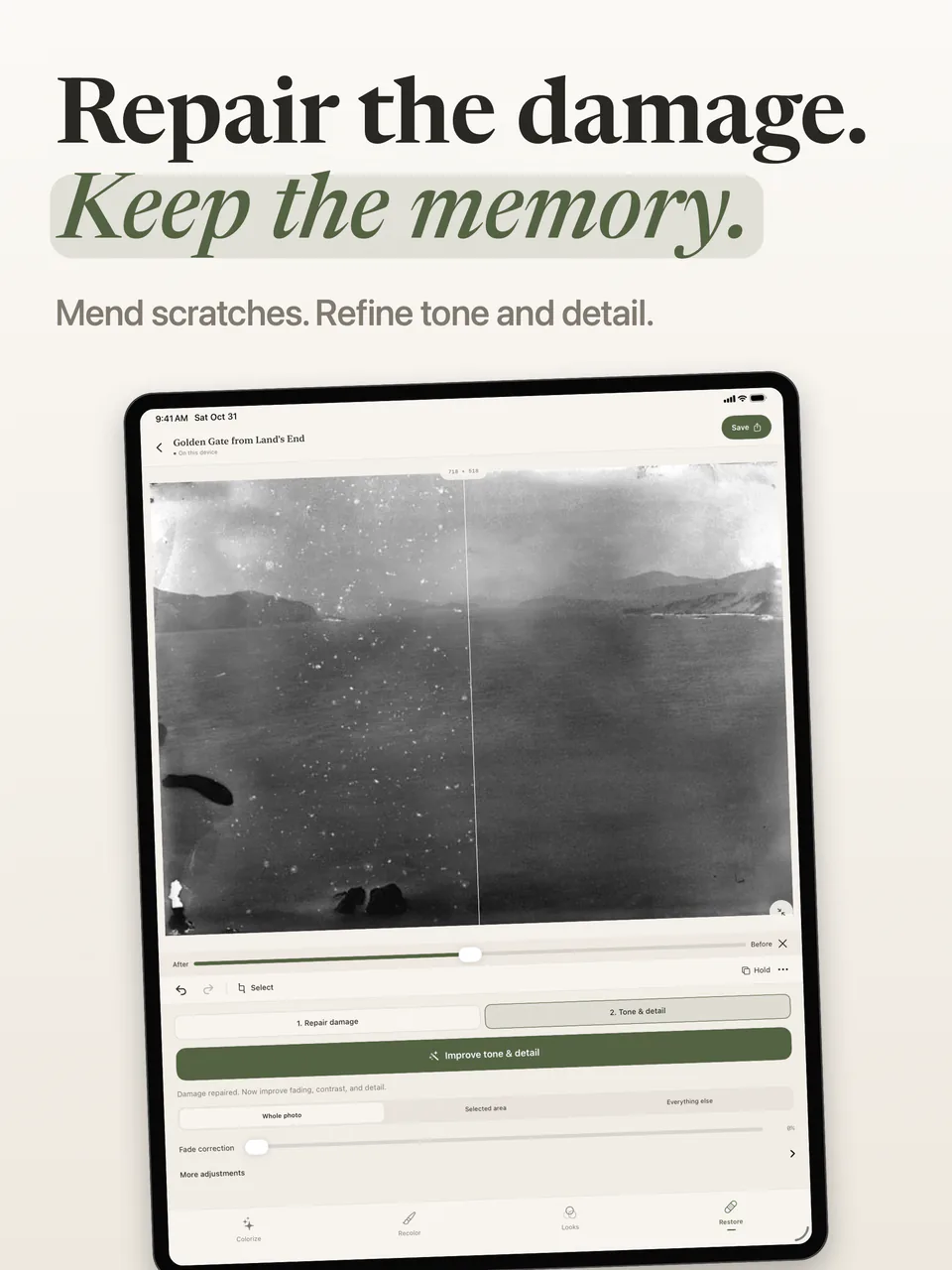
Mark scratches and small areas of damage for repair. Improve fading, contrast and detail in a separate step, with compare and undo along the way.
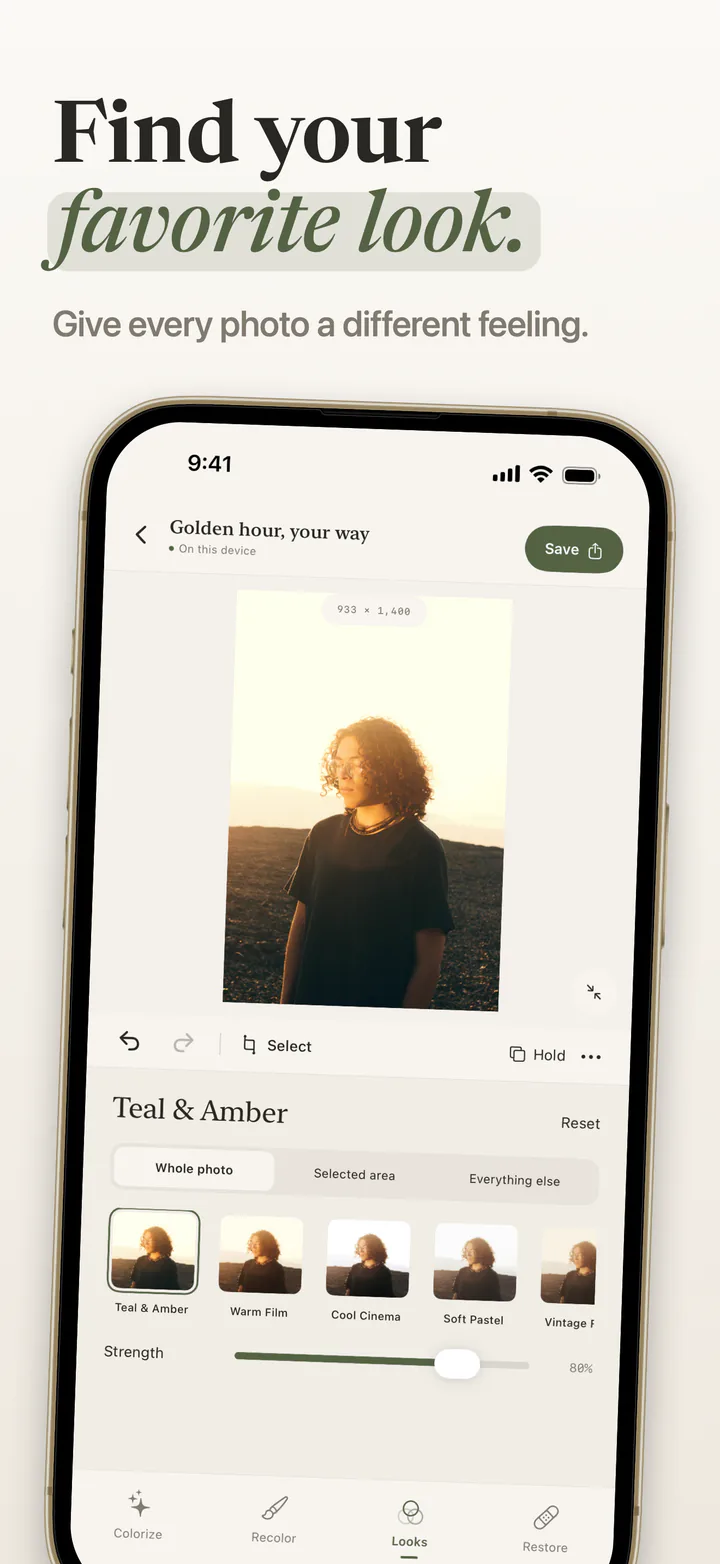
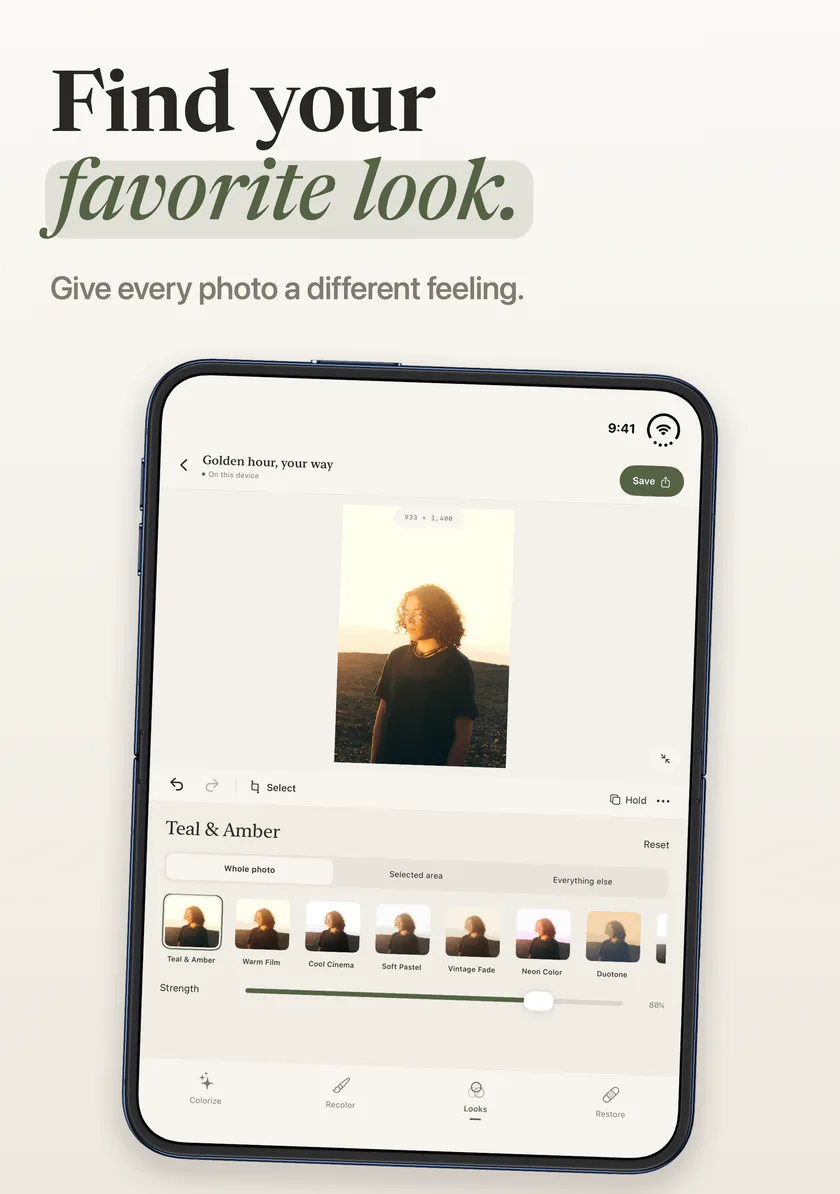
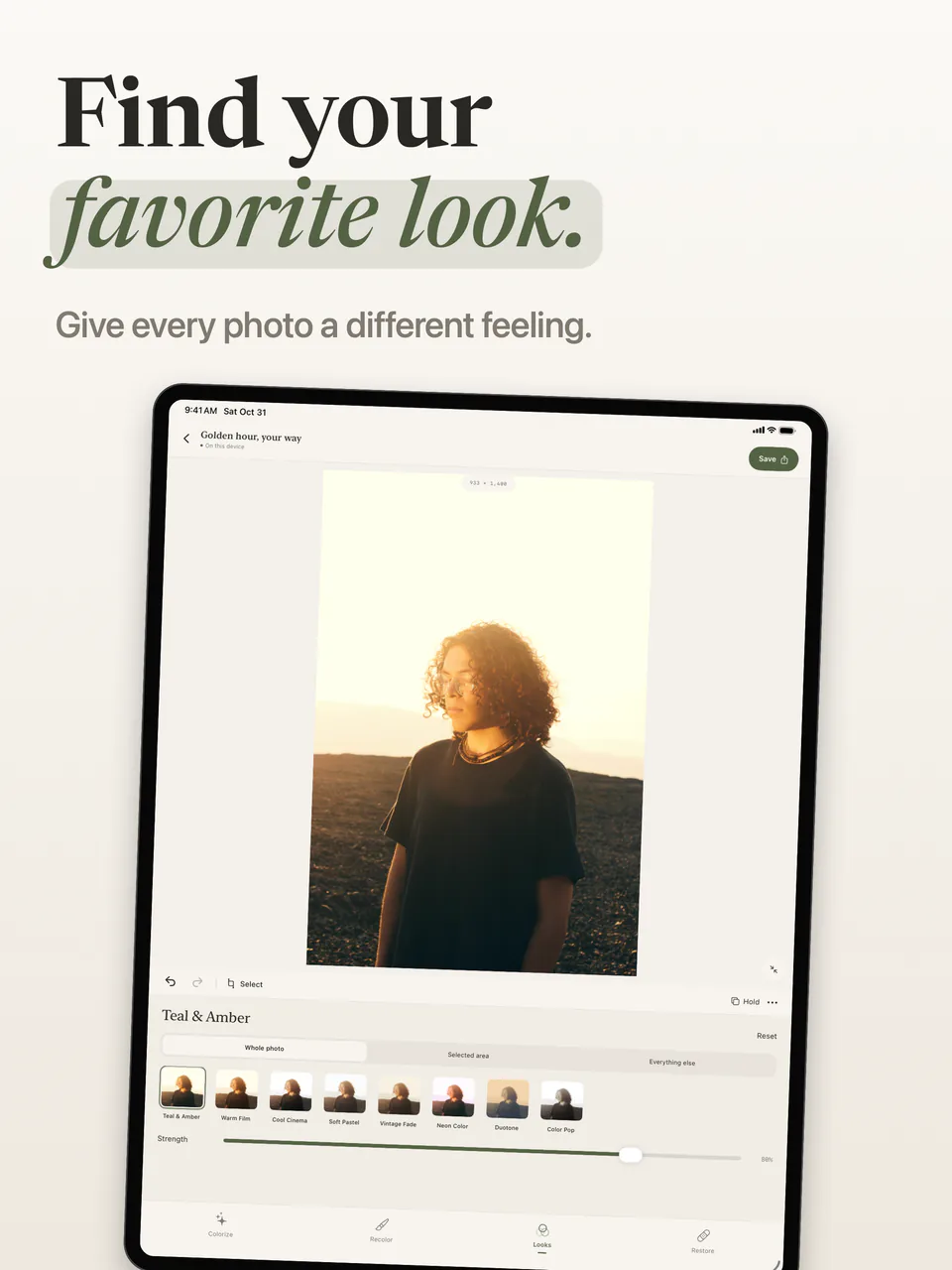
Try a color treatment on the whole photo, a selected area, or everything outside it. Save named versions to keep the ideas you like.
Colorization, recoloring, looks and repair work offline. Tintelier has no account, photo uploads, analytics or advertising. App Store purchases and restoring Pro may need a connection.
Projects keep the original, selections, editing choices and named versions in the app’s local files. Delete a project from Your studio to remove it. Your device’s backup settings may include app data.
Read the privacy policy →Tintelier Pro will be offered as a monthly or annual subscription, or a lifetime purchase. All three options unlock the same Pro features. The app will show the current App Store prices.
Save to Photos, Share and Copy use the same daily free allowance. Failed or canceled exports do not use it. Monthly and annual subscriptions renew automatically until canceled in your App Store account settings. Terms of use.
Real captures from the current app on iPhone, iPhone Duo and iPad.
Tintelier recolors selected areas, estimates color for black-and-white photographs, repairs small areas of damage and applies photo looks. All four tools run on your device.
Tintelier is in preparation for its first App Store release. This page shows the current app, its editing tools and its planned free and Pro features. It is not available to download yet.
No. Photo editing runs on your iPhone or iPad. Tintelier has no account, photo uploads, analytics or advertising. App Store purchases and restoring Pro may require an internet connection.
No. Colorization estimates plausible colors from a black-and-white photo. It cannot know the scene’s original colors with certainty. You can change the treatment, warmth and strength, or correct an area.
Editing and previewing Colorize, Restore, manual brush recoloring and the current looks are unlimited. Free users can complete three JPEG exports per local calendar day, up to 2048 pixels on the longest edge, with no watermark. Pro adds unlimited exports, subject/tap/lasso selection, full working-size export up to an 8192-pixel longest edge, PNG and HEIC, and before-and-after image export.
Yes. Tintelier keeps the original photo, selections, editing choices and saved versions in local project files. Delete a project from Your studio to remove it. Your device’s backup settings may include app data.
Yes. The same iPhone app runs on the outer display and uses the larger inner display when the phone is open. The screenshots here show genuine captures from both displays. Tintelier’s first App Store release is still in preparation.
Tintelier is being prepared for iPhone and iPad with iOS or iPadOS 17 or later, including iPhone Duo’s outer and inner displays.