Guides · DocuMind
Ask questions about a PDF on iPhone.
A lease, a manual, a medical report, a long contract: sometimes you do not want to read all of it, you want one answer and the page it comes from.
Most PDF chat tools upload the file to their servers to do that. For a document you would rather keep private, the questions can be answered on your own device instead.
The built-in way
In the Files app or Books, open the PDF and use Find to search for a word. On devices with Apple Intelligence, Writing Tools can summarize text you select.
Neither answers a question across the whole document, or shows you where in it the answer came from. Searching only works when you already know the exact word the document uses.
Step by step with DocuMind
DocuMind reads your documents and answers questions about them on your iPhone, iPad or Mac. There is no account, and after a one-time model download it works with no connection.
- 1
Import the document
Tap Import and choose a PDF from Files, a photo from your Photo Library, or scan a paper document with the camera. On a Mac, drag in files or a whole folder.
- 2
Wait for Ready
DocuMind reads the document on your device. Its status changes to Ready when it can be asked about.
- 3
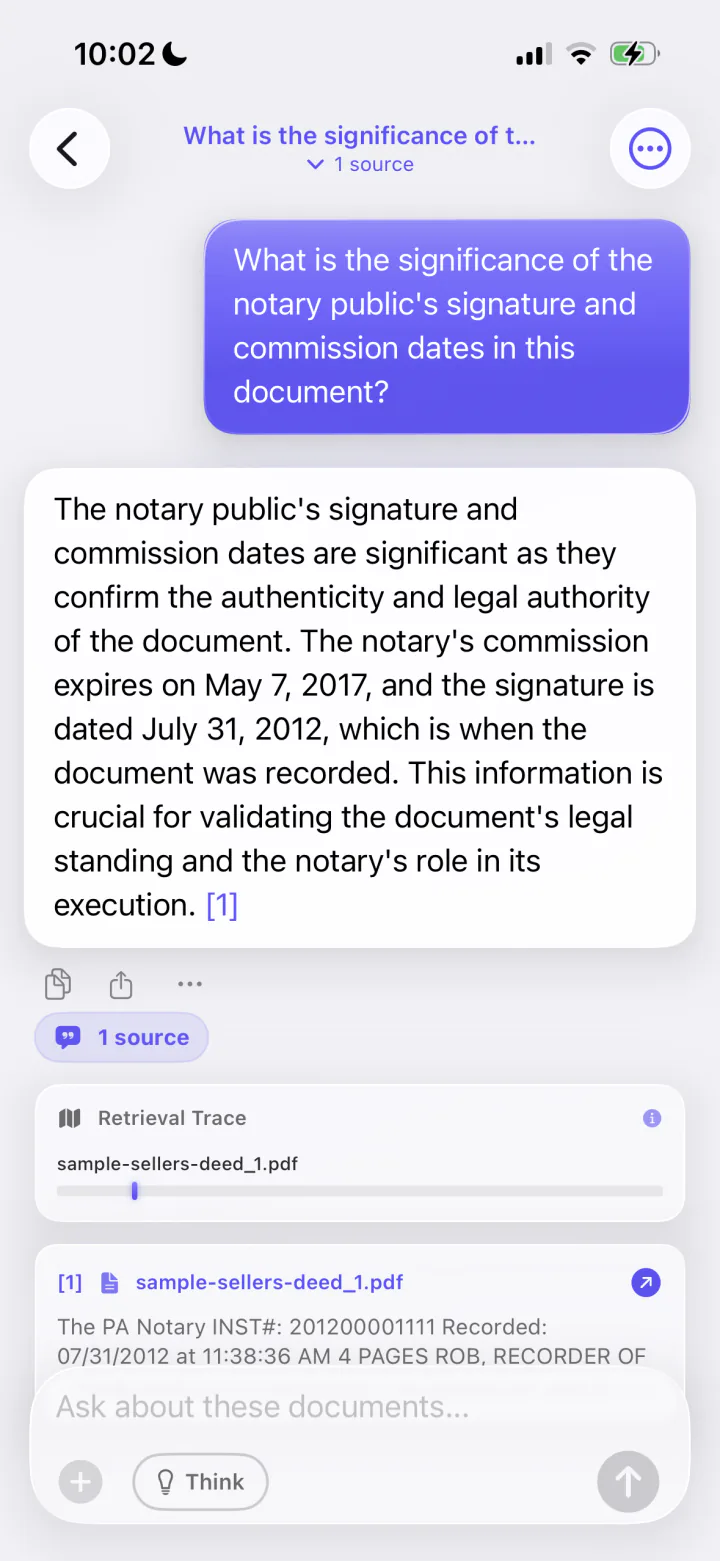
Ask your question
Tap Ask AI and ask in your own words, such as when does the lease end, or what does the warranty cover. It finds passages by meaning, not only by matching words.
- 4
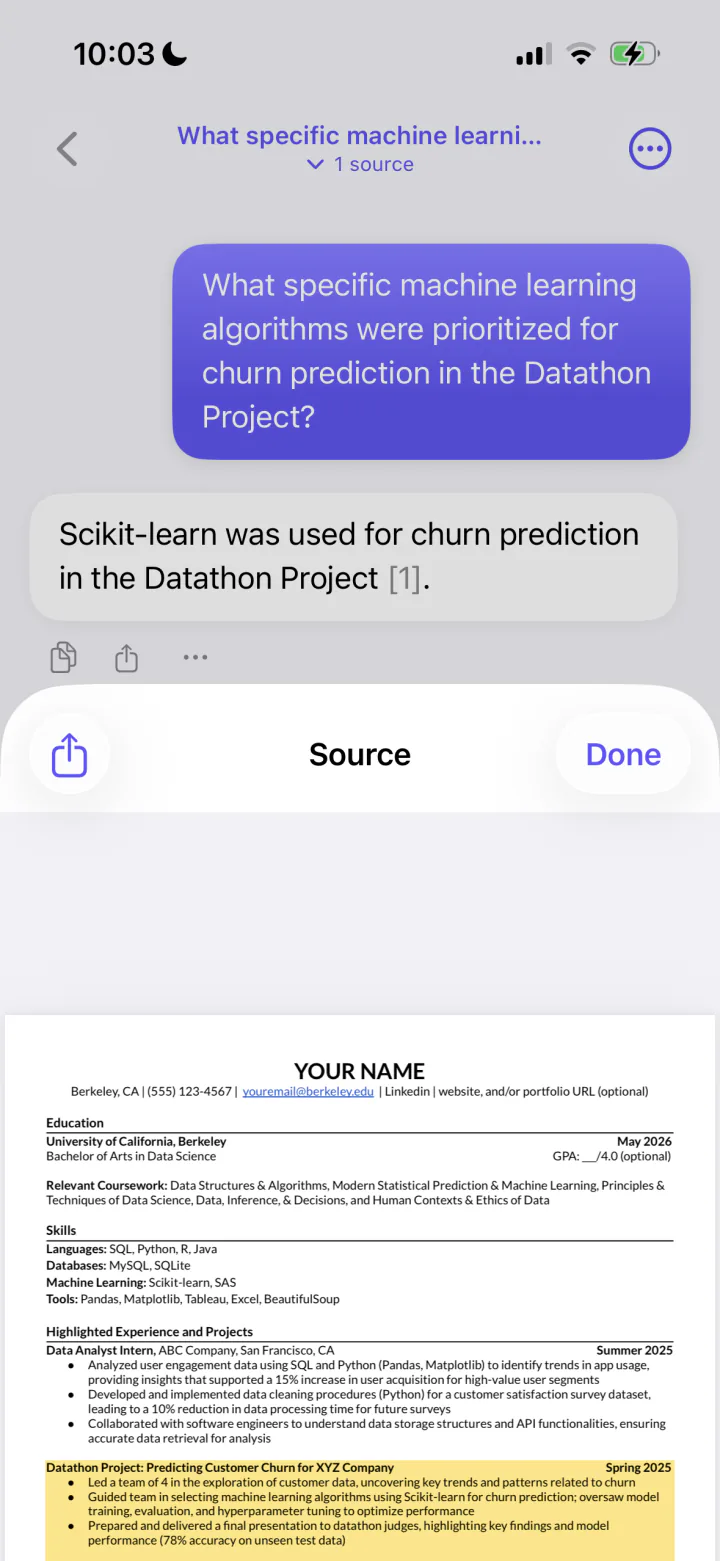
Check the source
Every answer cites the page it came from. Tap a citation and the page opens with the passage highlighted, so you can read it yourself.
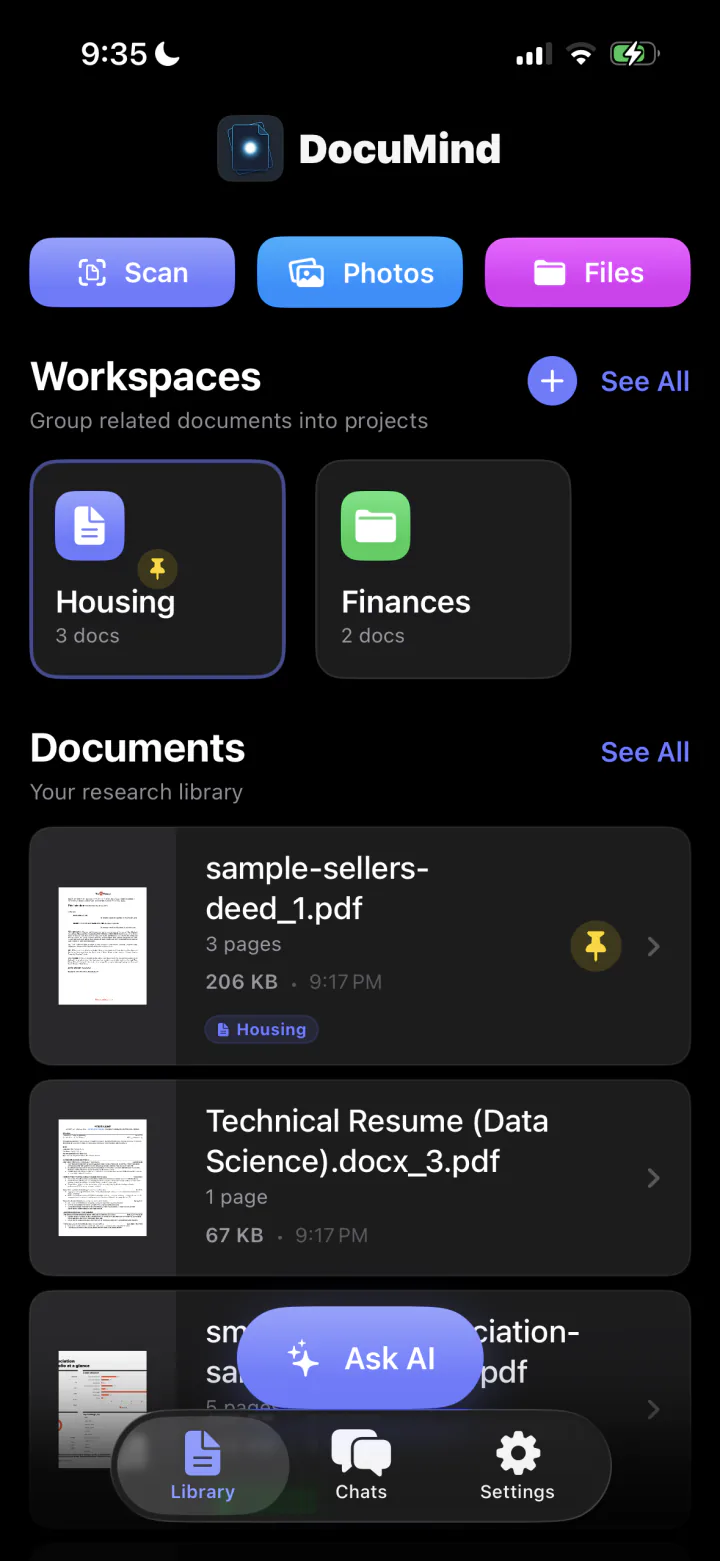
Several documents at once
Group related files into a workspace, such as every document for a house purchase, and ask questions across all of them. DocuMind reads scans and photos too, and its citations still point to the right spot on the scanned page.
Want a general AI chat that runs offline too? Run AI locally on iPhone and Mac
Questions and answers
Can I chat with a PDF offline on iPhone?
Yes. DocuMind reads your documents and answers questions entirely on your iPhone, iPad or Mac. After a one-time model download it works with no internet connection, including in airplane mode.
Is my document uploaded?
No. Your files, the search index and all conversations stay on your device. There is no account and no cloud processing, which suits medical records, legal documents and personal finances.
Does it work with scanned documents?
Yes. DocuMind reads scans and photos of pages, and remembers where every paragraph sits, so a citation points to the exact spot on the scan.
Is it free?
DocuMind is free to start, with no per-question costs. Pro is a monthly or yearly subscription or a single lifetime purchase.
DocuMind
Ask your documents, get answers with the page. On your device, offline.