Guides · Sweep
Make a background transparent or white.
A transparent background lets a picture sit on a slide, a poster or a website with no white box around it. A plain white background is what most marketplaces and online shops ask for in a product photo.
Both start the same way: cut the subject out of the photo. What changes is what you put behind it before you save.
The built-in way
Touch and hold the subject in the Photos app and tap Copy, then paste it into an app that keeps transparency, such as Keynote or Pages. On a Mac, Preview can remove the background and export the picture as a PNG.
For a white background there is no direct way. You would paste the cutout onto a white shape in another app and export it again, one photo at a time.
A transparent PNG with Sweep
Sweep saves the cutout itself as a PNG, so the transparency survives wherever you put it.
- 1
Open the photo
Tap Choose photos and pick it. Sweep lifts the subject out on its own.
- 2
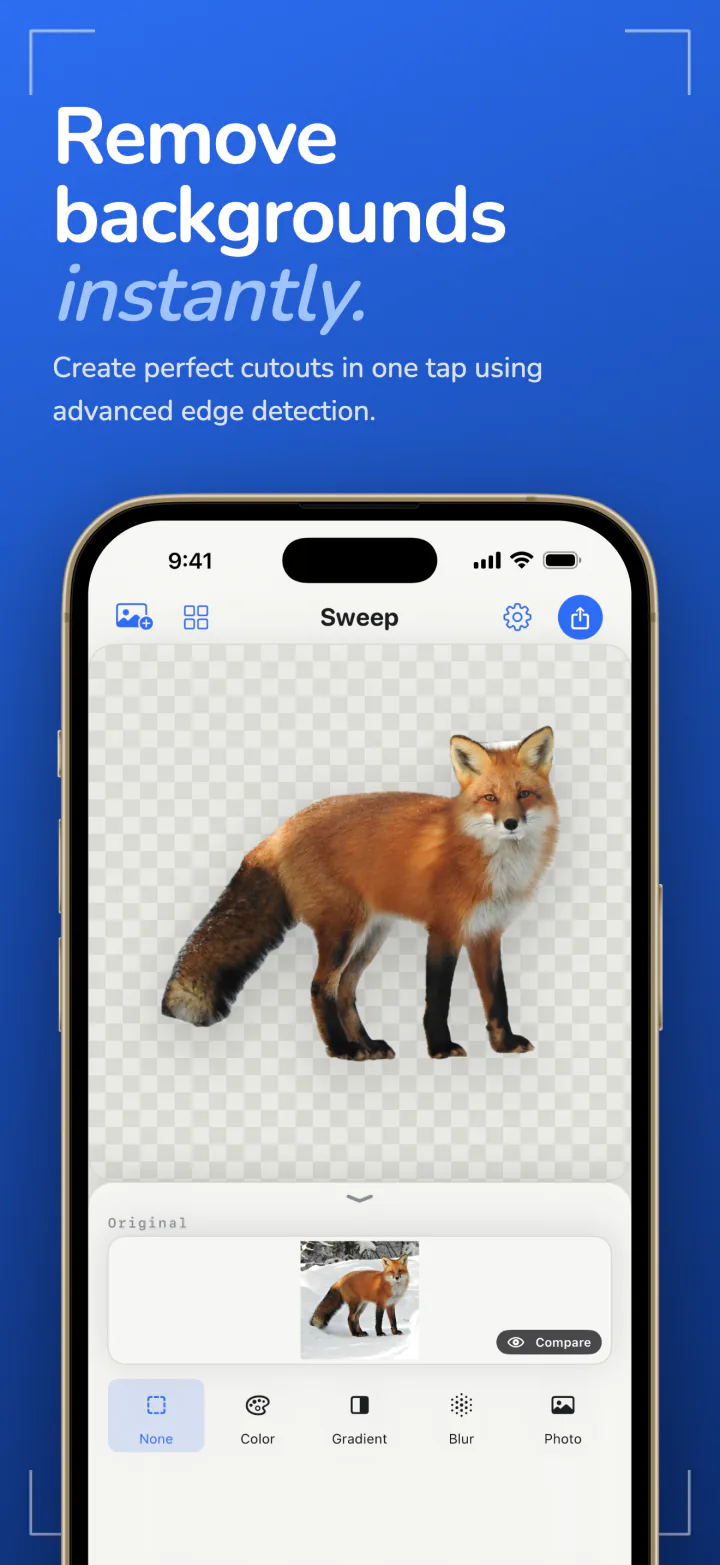
Leave the background on None
Under Background, None means nothing behind the subject. The checkerboard shows which parts are transparent.
- 3
Export
Tap Export and save the PNG to Photos or Files, or send it straight to the app you are working in.
A white background for a product photo
White, gray and black are free backgrounds in Sweep, so a listing photo takes a few taps.
- 1
Cut the product out
Open the photo, even a cluttered one. Sweep finds the product and lifts it off the table.
- 2
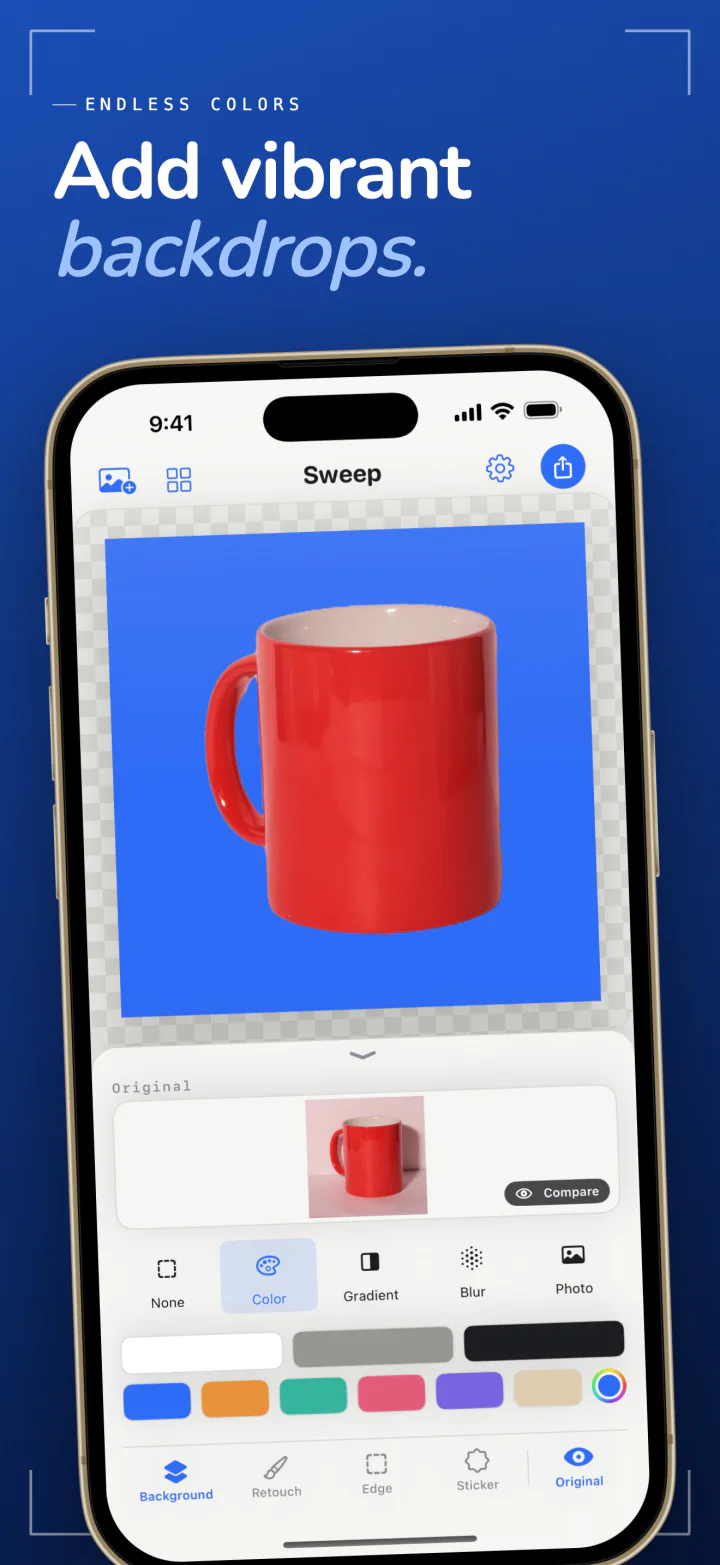
Choose white
Under Background, tap Color and pick white.
- 3
Clean up the edge
Open Retouch to erase anything left over from the old background. A stray shadow or a corner of the table shows up clearly against white.
- 4
Export it for the listing
Tap Export. The same steps put a portrait on a plain color for a profile picture or a resume.
For a whole shop of photos
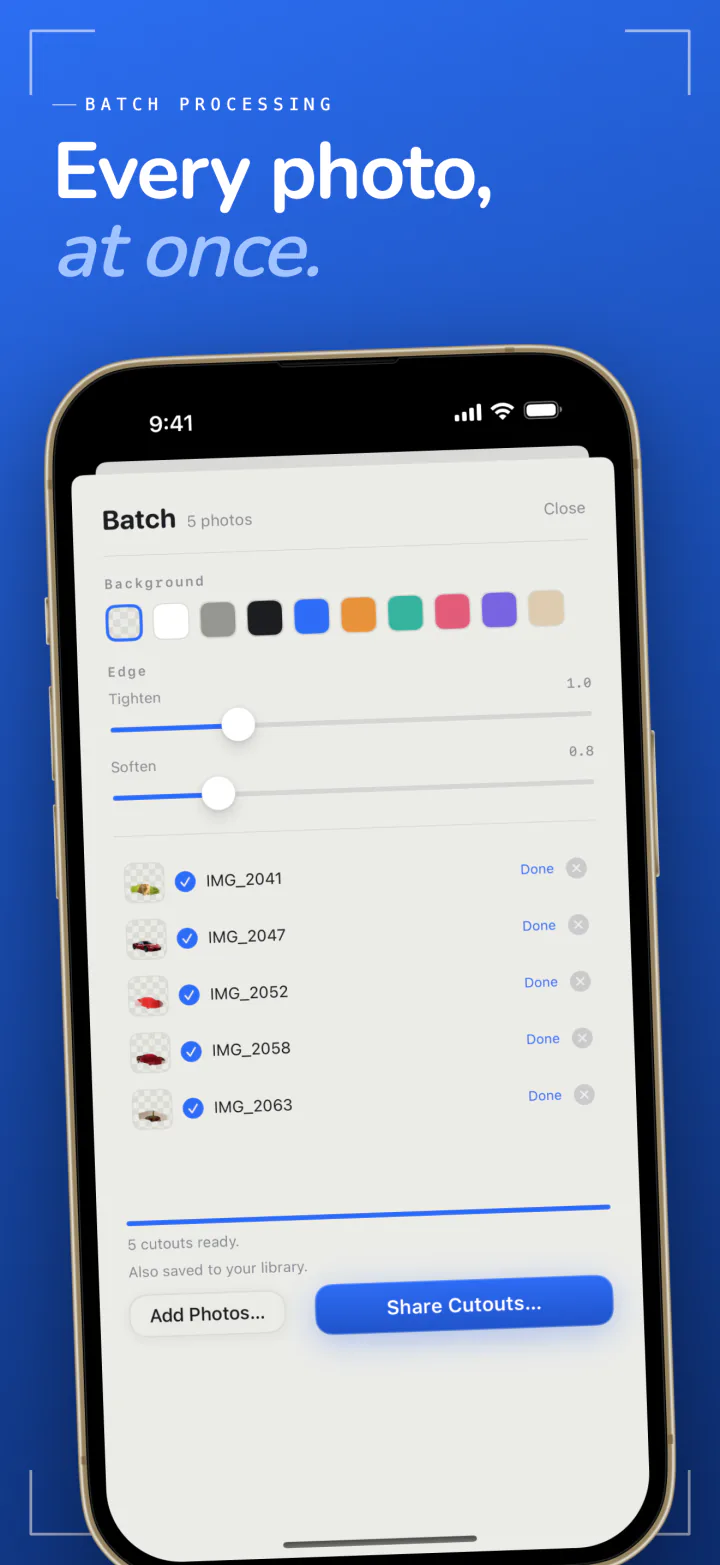
Sweep Pro runs up to 50 photos at once with the same background and edge settings, and exports them at full resolution with no watermark. It also adds every other color, gradients, a blur of the original and photo backgrounds.
Back to the basics: remove the background from a photo on iPhone
Questions and answers
How do I make a transparent PNG on iPhone?
Open the photo in Sweep, leave the background set to None, and tap Export. Sweep saves a PNG with a transparent background that you can drop into a slide, a design or a shop listing.
Can I put a product on a white background for free?
Yes. White, gray and black are free backgrounds in Sweep. Free exports are up to 1080 pixels with a watermark, three a day on iPhone and iPad; Sweep Pro removes those limits.
Why does my transparent picture show a white or black box?
Some apps and file types do not keep transparency. Save the cutout as a PNG, and paste it into an app that supports transparent images. JPEG has no transparency and always fills it in.
Does this work on a Mac?
Yes. Sweep runs on Mac with macOS 14 or later, with no daily export limit, and one Sweep Pro purchase covers iPhone, iPad and Mac.

Sweep
Transparent PNG or plain white, free. Made on your device, nothing uploaded.